Eyewear is one of the most personal purchases a shopper can make online — and one of the most difficult to sell.
A frame has to fit the bridge of the nose. The lens width has to suit the face. Tinted lenses need to read naturally against skin tone, and clear optical frames need to look like they belong on an actual face, not floating in a white-background void. These are not abstract concerns. They are the precise reasons why the eyewear category consistently struggles with purchase confidence and elevated return rates in online retail.
The global e-commerce eyewear market was valued at $41.7 billion in 2025 and is projected to reach $73.5 billion by 2034, growing at approximately 5.8% annually. Yet despite that growth trajectory, studies show that more than 70% of online eyewear shoppers abandon their carts due to uncertainty over fit, unclear visuals, or lack of confidence in how the frames will look on their own face. Research confirms that low conversion rates, high return rates, and poor customer satisfaction remain the three dominant pain points for online eyewear retailers.
The fix is not a better product page layout or improved photography angles. The fix is letting the customer see the glasses on a face — ideally their own. That is what virtual try-on for glasses delivers. And for WooCommerce store owners selling sunglasses, optical frames, or both, it is no longer an enterprise-only capability.
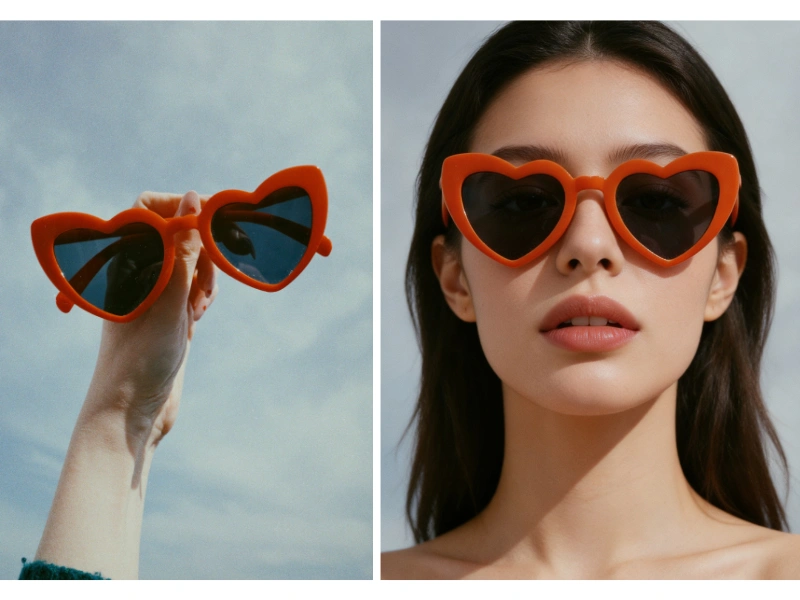
Why Selling Eyewear Online Is Harder Than Selling Clothing
WooCommerce clothing stores have had it relatively straightforward. A garment either fits or it does not, and size charts provide at least a baseline reference. Eyewear is a different problem entirely.
Glasses sit on the most distinctive part of the human body — the face. Frame width, bridge width, lens height, and temple length must all align with the unique geometry of each customer’s face shape. A frame that looks refined on a narrow oval face can appear overwhelmingly wide on a broader face structure. A thin wire frame that reads as elegant in a product photo can disappear against certain skin tones. A pair of oversized sunglasses that looks bold and editorial on a model may dwarf the face of a petite shopper entirely.
Static product photos — even high-quality ones — cannot close that gap. Shoppers know it, which is why they hesitate.
Traditional eyewear photography compounds the problem on the merchant side. To produce catalog images that show frames on a face, you need models, studio time, precise lighting rigs to handle lens glare and reflections, and post-production work to control the inevitable artifacts. A professional eyewear photoshoot with multiple frame styles, multiple face shapes, and multiple lighting environments can cost thousands of euros per session. Independent WooCommerce eyewear retailers simply cannot compete with that production cadence.
The result is a predictable commercial gap: independent stores rely on plain-background frame shots while their larger competitors publish lifestyle model photography and AR try-on features, capturing the conversion uplift that comes with purchase confidence.
What Virtual Try-On for Glasses Actually Requires
Not all virtual try-on implementations for eyewear are created equal. The technical requirements for glasses are considerably more demanding than for clothing.
Lens transparency. Clear optical lenses must remain visually transparent, showing the eye naturally behind the glass. Tinted sunglasses require accurate color rendering and appropriate light transmission. Polarized lenses have a different visual signature again. An AI engine that cannot distinguish between these lens types will produce results that look artificial immediately — and artificially rendered try-on images undermine trust rather than building it.
True-to-scale proportions. Eyewear sizing is measured in millimeters. A frame described as 52mm lens width looks meaningfully different on the face than one at 56mm. The virtual try-on engine must map the actual frame dimensions to accurate facial proportions, not approximate them.
Bridge fit and shadow rendering. Glasses sit on the nose bridge and cast contact shadows on the cheekbones and nose. Without accurate shadow rendering that adapts to the lighting environment, the glasses look as though they have been pasted onto the face rather than worn. This is the detail that separates photorealistic rendering from an obvious overlay.
Face shape diversity. A single face-shape model in a catalog shot tells shoppers little about how frames will look on their own face. To be genuinely useful, the AI must generate results across diverse face geometries — oval, round, square, heart-shaped — so that shoppers with different facial structures can all evaluate fit with confidence.
These requirements explain why most WooCommerce eyewear stores have historically avoided virtual try-on: the technical bar was high and the integration effort was prohibitive. That calculus has changed.
AI Virtual Try-On for Glasses, Built Into WooCommerce
AnyDress AI is a native WooCommerce plugin that handles both the frontend shopper try-on experience and the backend AI product photoshoot workflow — and it is built to handle the specific technical demands of eyewear.
The plugin’s AI engine was developed to understand the material and optical properties of frames, not just map a flat image overlay. When a shopper uploads a photo and selects a frame from your product page, the engine calculates bridge fit, lens placement, ear placement, and facial proportions to generate a result that accurately represents how those glasses will look on that specific face. Lens transparency is handled correctly: clear opticals render with natural eye visibility beneath the lens, tinted sunglasses render with accurate color and light transmission, and environmental reflections on the lens surface are generated rather than omitted.
On the catalog production side, merchants upload a plain product photo of the frames. The AnyDress backend generates professional lifestyle images — glasses placed on AI-generated models with diverse face shapes, in a range of photography styles and backgrounds — directly inside the WordPress admin dashboard. No studio rental. No model casting. No post-production work to eliminate lens glare or correct reflections.

The Two Eyewear Problems AnyDress Solves Simultaneously
Most AI tools in the eyewear space address one side of the conversion problem. Either they offer a frontend try-on widget for shoppers, or they offer a backend image generation tool for merchants. AnyDress provides both within a single WooCommerce plugin — and that distinction matters operationally.
For Your Shoppers: The Frontend Try-On Experience
A customizable “Try It On” button is added directly to your WooCommerce product pages, positioned next to the Add to Cart button. Shoppers click it, upload a face photo or a full selfie, and immediately see the selected frame rendered on their own face.
The digital experience is frictionless by design. A shopper’s uploaded photo is stored temporarily, allowing them to cycle through multiple frames in your catalog without re-uploading on every product page. This mirrors the in-store experience of picking up frame after frame in front of a mirror — and it is the behavioral loop that keeps shoppers engaged long enough to make a decision.
The commercial impact of this experience is well documented across the eyewear industry. Virtual try-on reduces cart abandonment by 22% for stores that offer it. Returns fall by 28% when shoppers have previewed how frames look before purchasing, according to Deloitte research. Conversion rates among shoppers who use AI-powered frame visualization tools are consistently higher than those who browse product pages without them.
For merchants concerned about API costs as shopper volume scales, AnyDress includes a configurable Daily Try-On Limit — a per-day cap on generated try-on images that protects budget without disrupting the core shopping experience.
For Your Catalog: The Backend AI Photoshoot
The backend photoshoot capability is where AnyDress closes the catalog production gap for independent eyewear retailers.
Upload a plain frame photo — the same isolated product image already in your WooCommerce media library. The AnyDress backend places those frames on AI-generated models across a range of diverse face shapes and skin tones. You control the photography style: editorial, lifestyle, street, vintage. You control the background via text prompt through the Magic Scene feature. You can generate front-facing, three-quarter, or side-profile angles.
Every image is generated inside the WordPress admin dashboard. With one click, it is saved to your WP Media Library and attached directly to the WooCommerce product gallery.
The cost comparison with traditional eyewear photography is not marginal. A single day of studio time for an eyewear brand — covering lighting setup, model fees, photographer rates, and post-production — routinely runs from €2,000 to €5,000. That budget covers a limited number of frames and a single model. AnyDress generates professional catalog images for your entire product range, across multiple face shapes and backgrounds, for a fraction of that cost, with no scheduling, no logistics, and no production delays.
Privacy Is Not an Afterthought
Eyewear is a category where shoppers upload face photos to try on frames. That introduces a data sensitivity that store owners must take seriously — and that their customers will notice.
AnyDress is built with privacy compliance as a structural requirement, not a policy footnote:
- Shopper photos are never used to train AI models.
- Images are processed in secure server memory and destroyed immediately after generation.
- A background cron job permanently deletes any residual user photos from the WP server within 7 days.
- The plugin operates in full compliance with GDPR requirements for biometric and personal image data.
For WooCommerce store owners serving EU customers in particular, this compliance posture is a direct business requirement. Offering virtual try-on without a verifiable data handling policy is a legal exposure. AnyDress eliminates that exposure by design.
What to Expect After Installation
Setup requires no developer resources. The plugin installs from the WordPress admin dashboard in the same way as any WooCommerce extension. Once active, it integrates natively with your existing product catalog — no data migration, no manual SKU mapping, no custom theme work required.
From that point, the workflow is straightforward:
- Navigate to any eyewear product in your WP Admin.
- Use the AnyDress backend studio to generate catalog images with AI models wearing the frames.
- Save the images directly to your WooCommerce product gallery.
- The frontend Try It On button appears automatically on the product page.
- Shoppers upload a photo, try on frames, and convert with confidence.
The entire pipeline — from plain frame photo to a live shopper-facing try-on experience with professional catalog imagery — is managed within the tools WooCommerce store owners already use every day.
The Competitive Advantage Independent Eyewear Retailers Have Been Missing
The eyewear industry’s conversion problem is not a traffic problem. Independent WooCommerce eyewear stores attract browsers. The failure point is purchase confidence — the moment when a shopper who likes a frame cannot visualize it on their own face and defaults to closing the tab rather than taking the risk.
Enterprise eyewear brands solved this problem with seven-figure investments in AR development and professional photography infrastructure. That option has never been available to independent retailers selling through WooCommerce.
AnyDress closes that gap. A store owner with a product catalog of 50 eyewear SKUs can generate professional model photography for every frame, deploy a fully functional shopper try-on experience on every product page, and do it from inside WordPress — without a studio, without a development team, and without an enterprise budget.
The eyewear market is growing. The share of that growth captured by any individual store will be determined by which stores give shoppers the confidence to buy. Virtual try-on is no longer a differentiating feature. It is a baseline expectation — and the WooCommerce stores that deploy it first will be the ones that hold the conversion advantage as the category matures.
Start Selling Glasses With Confidence
AnyDress.ai offers a 3-Day Free Trial with 20 Free Credits — no credit card required. Install the plugin, generate your first eyewear catalog images, and activate the shopper try-on experience on your WooCommerce store before committing to a plan.