Blog

  • How to Add an Enterprise-Grade Virtual Try-On WordPress Plugin to Your Store

    Earlier this year, retail giant ZARA made headlines across the e-commerce world when they officially rolled out their massive, AI-powered virtual try-on feature. By allowing shoppers to see how garments look on their own bodies instantly, ZARA cemented what we’ve all suspected: virtual fitting rooms are no longer a futuristic gimmick; they are the 2026 standard for selling clothes online.

    But if you run a WooCommerce store, reading that news might have felt discouraging. Historically, building a seamless AI try-on experience required millions of dollars in custom development and a team of software engineers.

    Fortunately, the landscape has dramatically shifted. You no longer need enterprise budgets to compete with the likes of ZARA. By simply installing a virtual try on WordPress plugin, independent clothing brands can offer the exact same hyper-realistic shopping experience in a matter of minutes.

    Here is why adding a virtual fitting room to your WooCommerce store is the smartest move you can make this year—and how to do it without writing a single line of code.

    1. Democratizing the “ZARA” Experience for Independent Stores

    For years, independent boutiques had to rely on a charming brand story to compete with fast-fashion giants. But today’s shoppers expect a premium, frictionless user interface regardless of who they are buying from.

    When ZARA implemented their virtual AI try-on feature earlier this year, it raised the bar for consumer expectations. Shoppers are now actively looking for a “Try it On” button when browsing apparel. If your store lacks a wordpress website try on feature, your brand subconsciously feels outdated to the modern consumer.

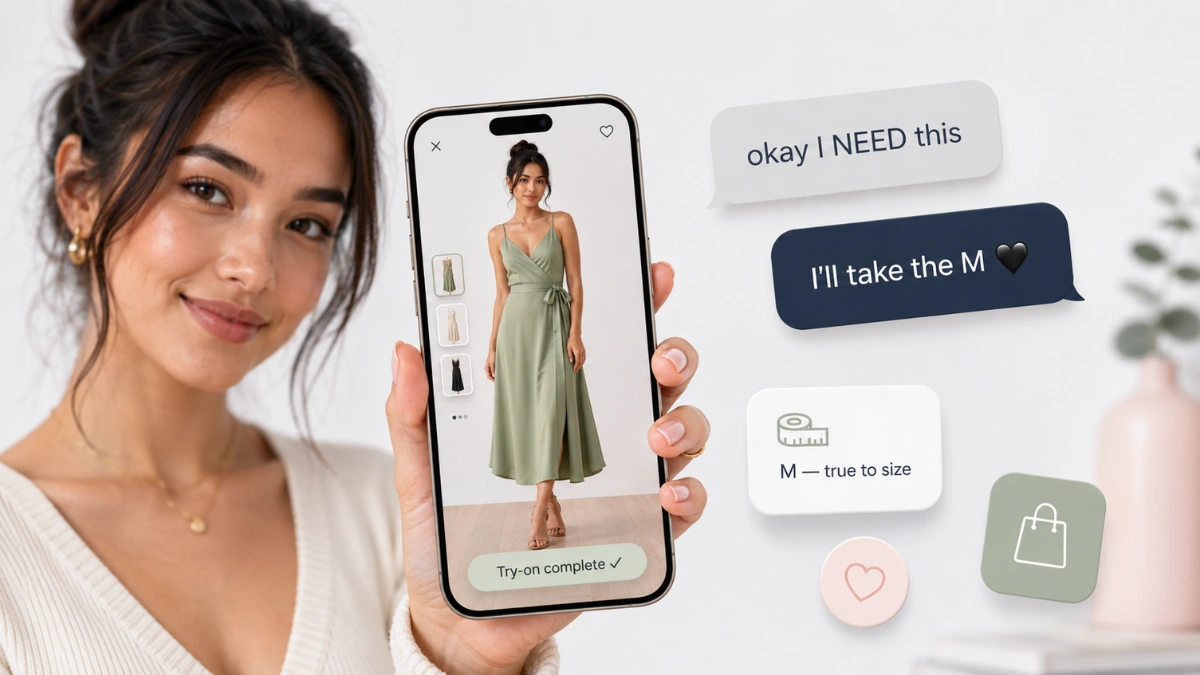
    Using a dedicated wordpress try on plugin like Anydress.ai instantly bridges this gap. It gives your independent boutique the polished, high-tech sheen of a multi-million-dollar retail giant, instantly elevating your brand’s perceived value and building massive trust with first-time visitors.

    virtual try on wordpress plugin
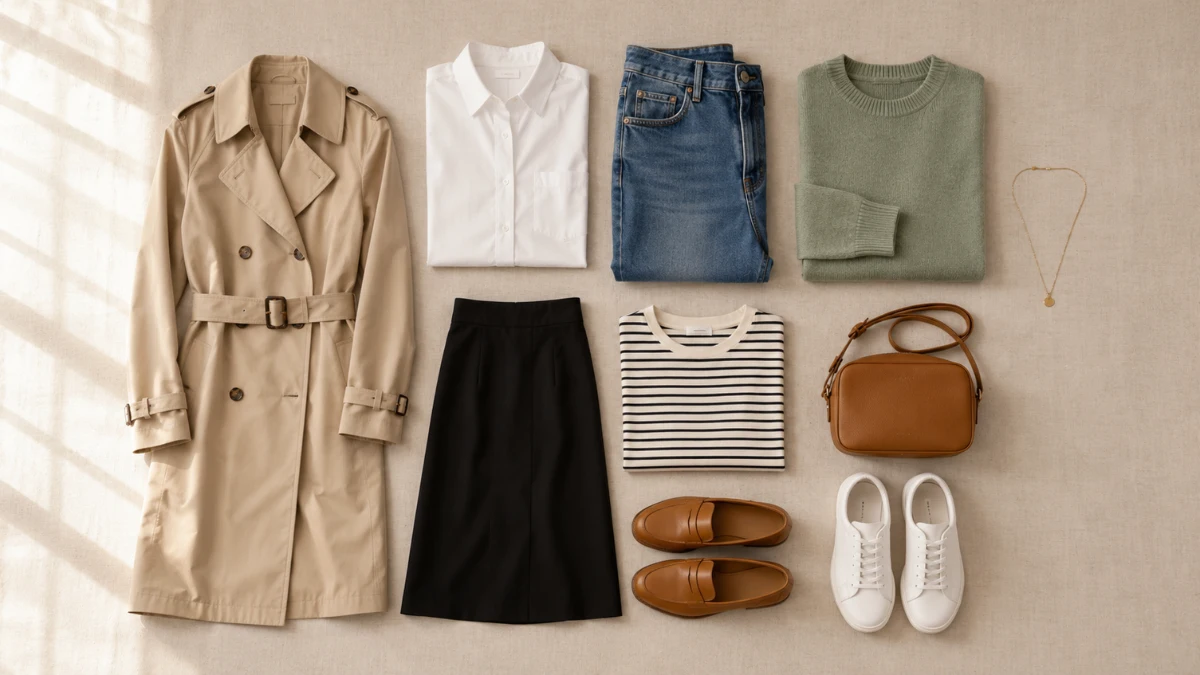
    AnyDress.ai virtual try on WordPress plugin: from flat-lay to model

    2. Speed-to-Market: Bypassing the Studio Bottleneck

    One of the biggest struggles for a growing WooCommerce brand is “speed to market.” When your supplier sends you a new batch of inventory, you want to list it on your site immediately. But usually, you are stuck waiting weeks to schedule a photographer, book a model, and wait for photo editing.

    By utilizing a hybrid tool that acts as both a fitting room and a woocommerce photography plugin, you can bypass this bottleneck entirely.

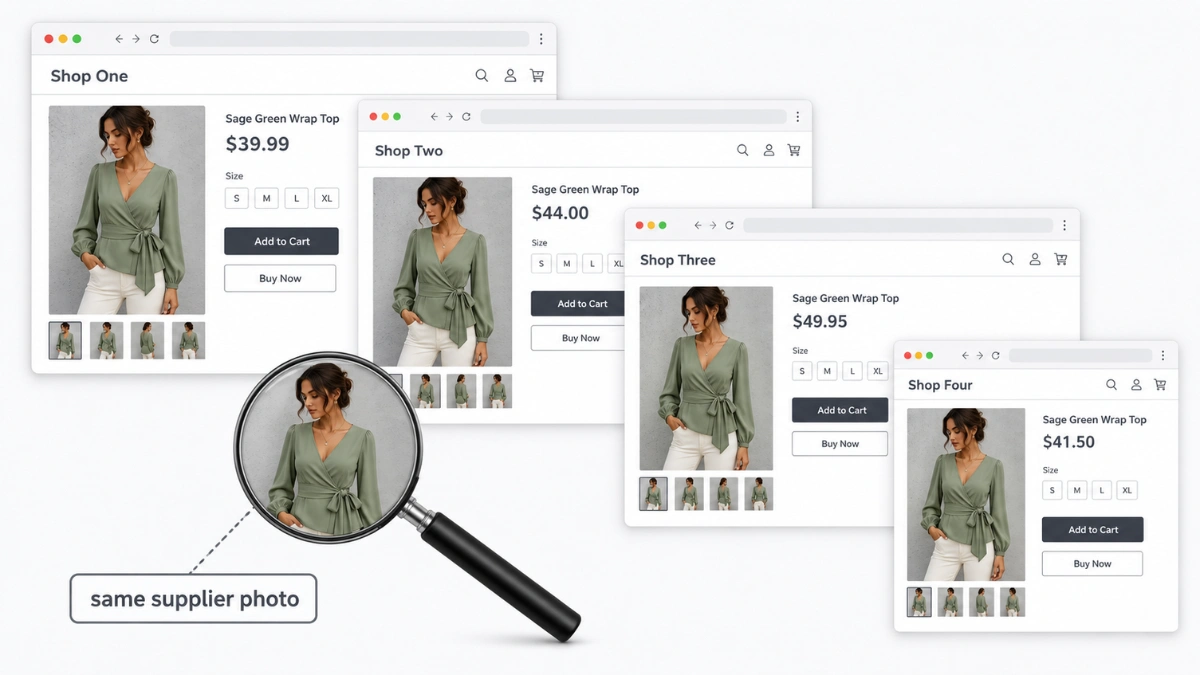
    With AI, you can take a basic, raw photo of a garment on a hanger directly from your supplier, and upload it straight into your WordPress media library. The plugin’s back-end AI engine instantly generates professional, studio-quality model images. You can go from receiving inventory in a cardboard box to a fully published, beautifully modeled WooCommerce product page in under ten minutes.

    3. Igniting the “Group Chat” Marketing Engine

    Think about how people actually shop for clothes in the real world. They go to the mall with friends, try something on in the dressing room, step out, and ask, “How does this look on me?”

    Online shopping used to be an isolating experience. However, a store try on wordpress plugin digitizes this social behavior. When a shopper uploads their photo to your site and generates an incredibly realistic image of themselves wearing your new jacket or dress, their first instinct is to share it.

    They download the AI-generated photo and send it to their group chats, text threads, and Instagram DMs asking for their friends’ opinions. Every time they do this, they are effectively doing free word-of-mouth marketing for your brand. They aren’t sharing a boring link to a product page; they are sharing a personalized photo of themselves wearing your product, which naturally draws their friends back to your store to try it for themselves.

    4. Keeping Shoppers on Your Domain

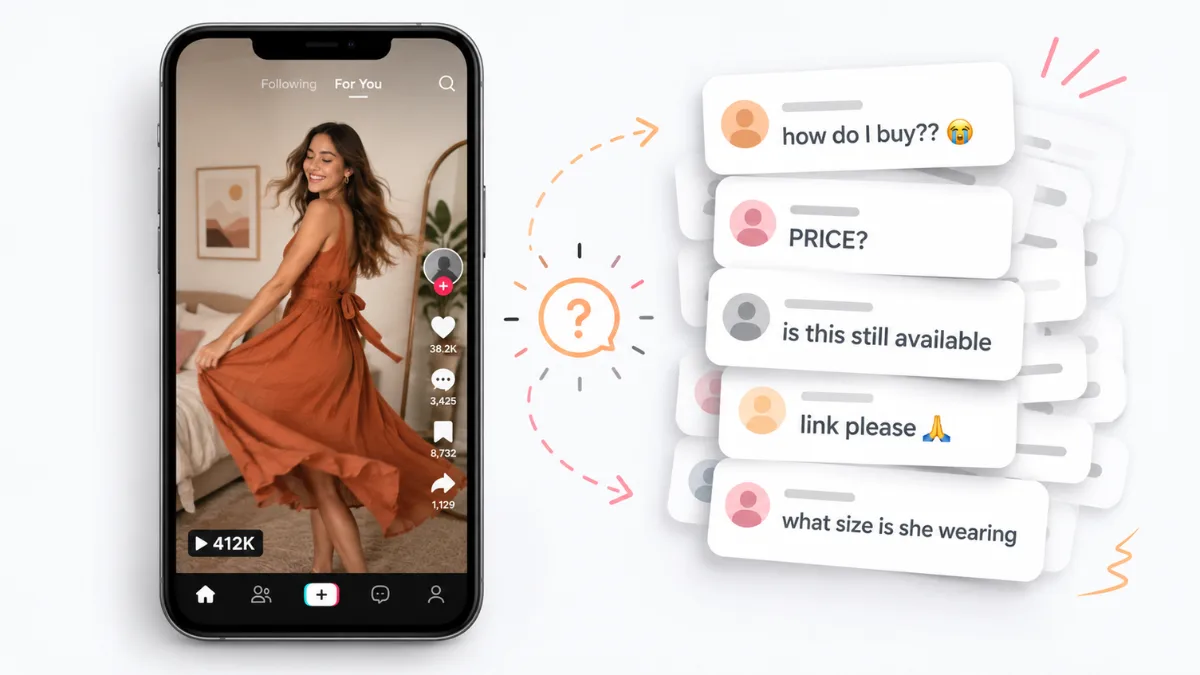
    Before AI try-ons, shoppers who were unsure about a product would leave your website to search for validation. They would open up YouTube to look for clothing hauls, or search TikTok and Instagram to see if influencers were wearing your pieces.

    Every time a user leaves your WooCommerce site to check social media, you risk losing them to a distraction (or worse, a competitor’s ad).

    Offering a virtual try on wordpress experience keeps the shopper entirely on your domain. They don’t need to hunt down external validation because they can immediately see how the fabric drapes and fits on their own frame right on your product page. This dramatically increases your average “Time on Page,” which is a massive positive signal to Google’s SEO algorithms.

    woocommerce store try on wordpress plugin
    AnyDress.ai WooCommerce plugin: from studio shots to Instagram posts

    5. No-Code, Plug-and-Play Installation

    The best part about the tech landscape in 2026 is that you don’t need to be a developer to build an interactive store.

    In the past, integrating third-party AI APIs into WooCommerce was a nightmare of broken code, slow site speeds, and conflicting theme scripts. Today, a modern virtual try on wordpress plugin is entirely plug-and-play.

    Solutions like Anydress.ai are designed specifically for the WordPress ecosystem. You simply upload the plugin zip file, enter your license key, and the “Try it On” button automatically populates next to your WooCommerce “Add to Cart” buttons. It requires zero coding, it doesn’t slow down your website’s load speed, and it works flawlessly on both desktop and mobile devices.

    Level Up Your WooCommerce Store Today

    The gap between independent WooCommerce stores and massive retail conglomerates is closing fast. Thanks to the rapid advancement of AI, you can now offer the exact same premium, interactive features as the biggest brands in the world.

    If you are ready to speed up your catalog launches, encourage social sharing, and give your customers the ultimate shopping experience, it is time to upgrade your store.

    Stop losing customers to outdated static images. Install Anydress.ai—the premier virtual try on wordpress plugin—and transform your WooCommerce clothing store into a 2026-ready interactive boutique today.

  • 5 Untapped Ways to Boost WooCommerce Clothing Conversions in 2026 (Beyond the Basics)

    If you are reading this, you already know the basics of running a WooCommerce fashion store. You’ve optimized your checkout page, you use a fast hosting provider, and you have an abandoned cart email sequence set up.

    Yet, your conversion rate is still stuck at 2%. Why?

    Because in 2026, the psychology of the online shopper has drastically evolved. The new battleground for conversions isn’t about page load speed—it’s about visual validation, interactive dopamine, and micro-personalization.

    If you are looking to boost WooCommerce clothing conversions this year, it’s time to abandon the old playbook. Here are five completely unique, advanced strategies to boost your WooCommerce apparel sales.

    1. Escape the “Flat-Lay Penalty” in Visual Search (GEO)

    Most WooCommerce store owners still think of SEO purely in terms of text. But for fashion e-commerce in 2026, Generative Engine Optimization (GEO) and Google Visual Search (Google Lens) drive the highest-converting traffic.

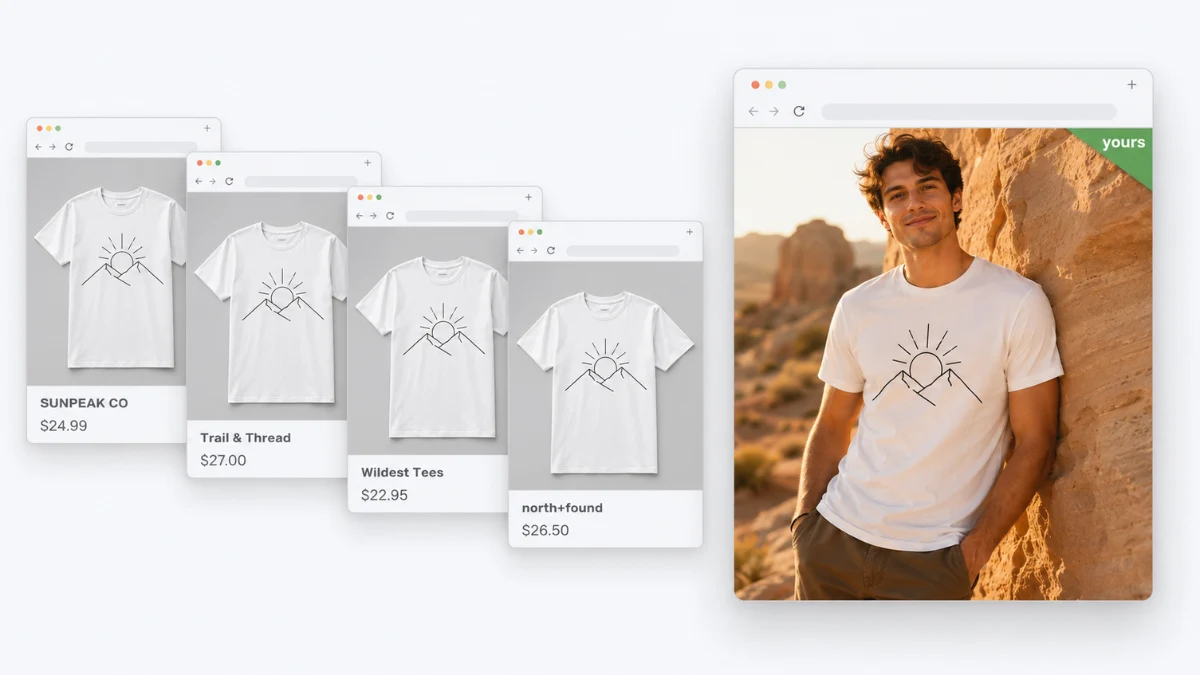
    Here is the untold secret: search algorithms actively penalize “flat-lay” clothing photos (garments lying flat on a white background) and ghost mannequins in their visual shopping tabs. With platforms like Google Lens now processing over 20 billion visual searches every month, the algorithm heavily favors lifestyle imagery and real human models because they have a significantly higher click-through rate.

    If your catalog is full of flat-lays, you are essentially invisible to high-intent shoppers searching by image.

    The Fix: You don’t need a $5,000 photoshoot to fix this. Using the back-end AI features of the Anydress.ai plugin, you can upload your basic flat-lays and let the AI generate hyper-realistic models wearing the clothes. By updating your WooCommerce product galleries with these AI-generated lifestyle images, your products will instantly rank higher in visual search engines, driving high-converting organic traffic.

    Comparison of a standard flat lay clothing photo versus a high-ranking AI model photo in Google Visual Search
    AnyDress AI model wearing a WooCommerce flat-lay clothing item

    2. Gamify the Product Page to Trigger “Dopamine Browsing”

    Static product pages are dead. Today’s consumers are trained by TikTok and Instagram to expect interactive, dopamine-driven experiences. If a user lands on your product page and all they can do is click “Next” on a photo carousel, they will get bored and bounce.

    You need to increase your “Time-to-Visual-Match” (TVM)—the time it takes for a shopper to see a product and visualize it in their own life.

    The Fix: Transform your product page into an interactive playground. By adding a front-end Virtual Try-On widget, you turn a passive browser into an active participant.
    When a user clicks “Try it on,” uploads their photo, and sees themselves wearing your new summer dress via Anydress.ai, their brain receives a dopamine hit. They are no longer evaluating a piece of fabric; they are evaluating how good they look. This psychological shift routinely boosts “Add to Cart” actions by up to 45%.

    3. Leverage “Zero-Waste Catalog” Marketing for Gen Z

    Conversion rates aren’t just about the product; they are about brand alignment. A topic rarely discussed in WooCommerce optimization is the massive shift toward sustainable signaling.

    Physical photoshoots are incredibly wasteful. They require flying models to locations, manufacturing physical sample sizes that often get thrown away, and a massive carbon footprint. In fact, the fashion industry currently accounts for roughly 10% of global carbon emissions. Modern consumers (particularly Gen Z and Millennials) are acutely aware of this and actively look for eco-friendly brands.

    The Fix: Turn your AI workflow into a marketing asset. If you are using an AI photoshoot generator to create your catalog, tell your customers!

    Add a badge to your product pages or a section on your “About Us” page that says:
    “🌍 Zero-Waste Photography: To reduce our carbon footprint, this brand uses AI-generated models instead of flying crews around the world. We pass those savings on to you and the planet.”
    This unique angle builds immense brand trust and pushes socially conscious buyers over the checkout line.

    4. Cure the “Digital Wardrobing” Epidemic

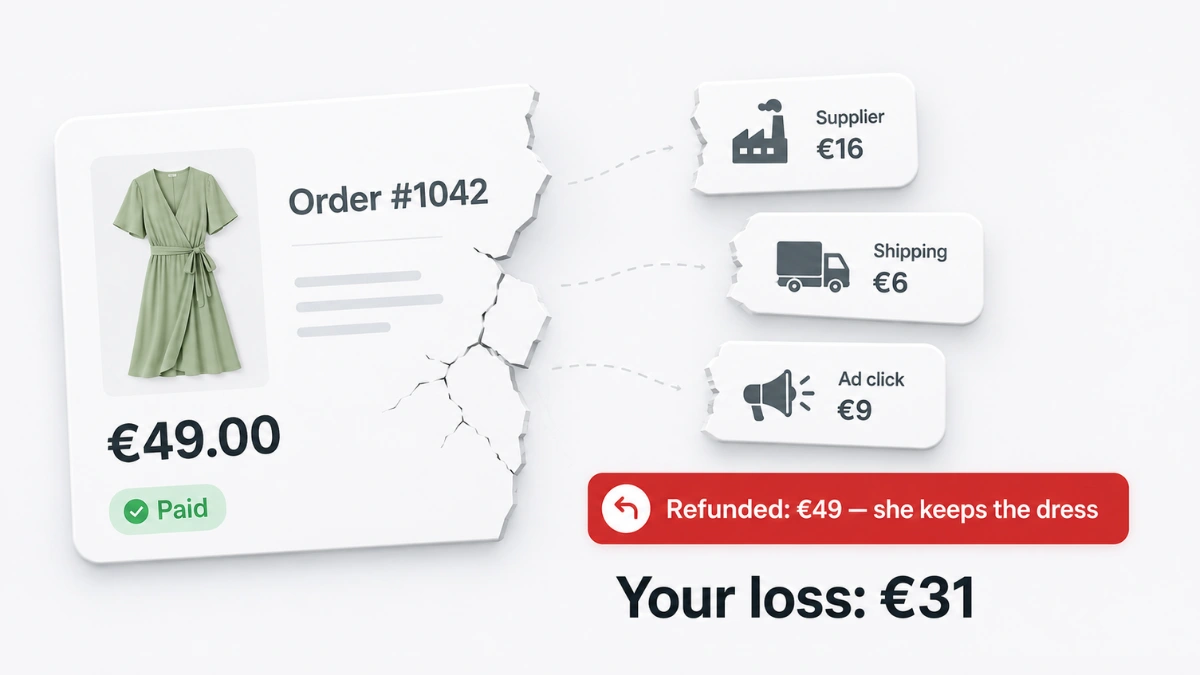
    “Wardrobing” is the toxic practice where a shopper buys a stylish outfit, wears it once for an Instagram or TikTok photo, and then returns it. This artificially inflates your sales but ultimately destroys your profit margins with refund fees and unsellable inventory.

    Store owners often try to fight this with strict, customer-alienating return policies. But there is a better, tech-forward way to solve it.

    The Fix: Give them the digital photo before they even buy.
    When you offer high-quality Virtual Try-Ons (VTO), a percentage of “wardrobers” will actually use the generated image of themselves in your clothing for their social media needs—without ever buying and returning the physical item.
    More importantly, for genuine buyers, seeing a flawless, photorealistic image of themselves in your garment secures their purchase intent. They know exactly what they are getting, which effectively kills the “buy three, return two” habit.

    5. Hyper-Localize Your Models Without Recasting

    One of the biggest subconscious conversion killers is a lack of visual relatability. If your WooCommerce store traffic comes from a diverse set of demographics, but your product photography features only one specific body type or ethnicity, a large portion of your audience will subconsciously feel, “This brand isn’t for me.”

    Historically, solving this meant hiring 5 different models for every single SKU—a logistical and financial nightmare.

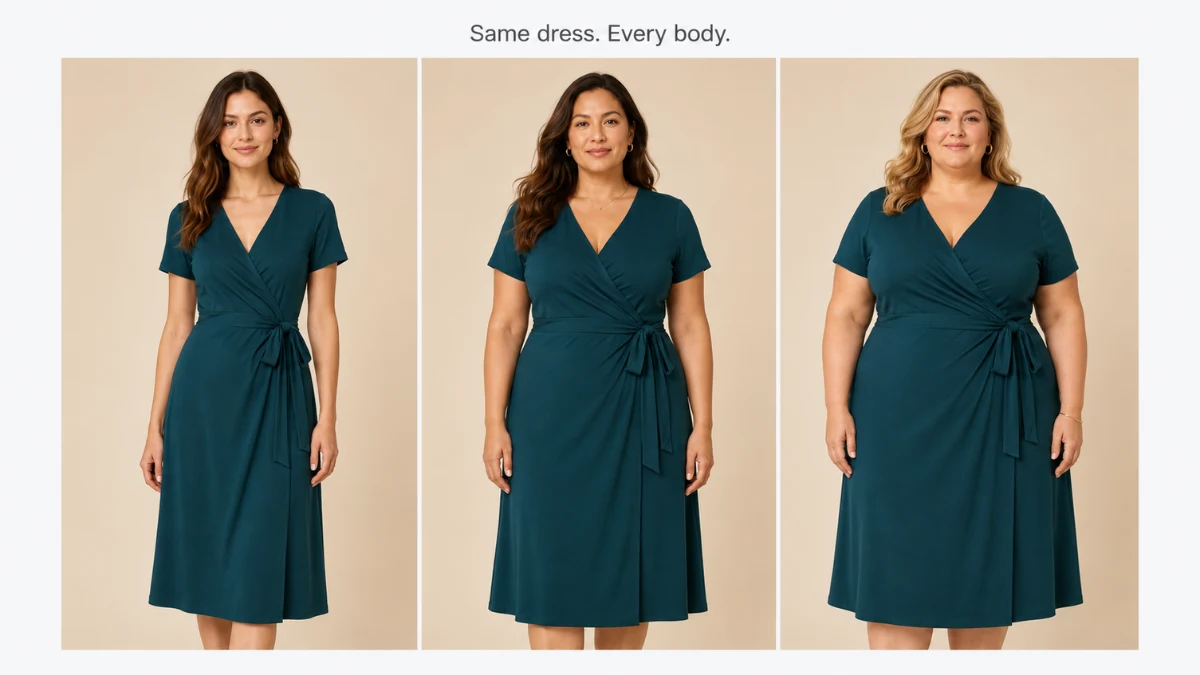
    The Fix: Dynamic, AI-driven model diversity. Inside your WordPress dashboard, you can use Anydress.ai to generate the same exact garment on multiple different AI models.
    You can feature a blonde model, a plus-size model, a woman of color, and an older model all wearing the same dress in your WooCommerce image gallery. When shoppers scroll through your images and see someone who looks like them wearing the item, their purchase hesitation evaporates.

    Diverse AI-generated models wearing the same garment created inside the WordPress media library
    AnyDress.ai supports various body types and ethnicities

    📊 The “Visual Commerce” Case Study: How Aura Apparel Scaled with AI

    Let’s look at a concrete example of these advanced tactics in action. Aura Apparel, a WooCommerce store selling sustainable activewear, was struggling with a 1.2% conversion rate. Their site was fast, but their catalog consisted entirely of ghost mannequins.

    The Intervention:
    Instead of tweaking button colors or checkout fields, Aura Apparel focused entirely on Visual Commerce using the Anydress.ai plugin:

    1. AI Backend: They converted all 150 ghost-mannequin SKUs into lifestyle images featuring diverse, AI-generated models.
    2. Interactive Frontend: They enabled the Virtual Try-On button beneath the price tag.
    3. Eco-Marketing: They added a “Zero-Waste Catalog” banner explaining their use of AI imagery.

    The Results (After 60 Days):

    • Organic Traffic: Increased by 28% because the new lifestyle images began ranking in Google Visual Search.
    • Session Duration: Jumped from 45 seconds to 2 minutes and 15 seconds (thanks to users playing with the Virtual Try-On widget).
    • Conversion Rate: Skyrocketed from 1.2% to a massive 3.1%.

    By abandoning outdated e-commerce advice and embracing visual AI, Aura Apparel completely transformed their bottom line.

    The Future of WooCommerce is Visual

    In 2026, you cannot compete using the exact same playbook as everyone else. Flat lays, generic size charts, and static pages are the past. Interactive discovery, dopamine-driven visualization, and hyper-relatable modeling are the future.

    If you are ready to stop tweaking minor settings and start making massive leaps in your conversion rate, it’s time to upgrade your tech stack.

    With Anydress.ai, you gain an entire virtual production studio and interactive fitting room, perfectly integrated into your WordPress dashboard.

    👉 Stop losing sales to visual hesitation. Click here to transform your WooCommerce store with Anydress.ai today!

  • How to Reduce Clothing Return Rates in Your WooCommerce Store

    If you run an online apparel store, you already know the harsh reality: skyrocketing ecommerce fashion return rates are quietly eating your profit margins alive.

    In 2026, getting a customer to click “Buy Now” is only half the battle. The real challenge is making sure the item stays in their closet and doesn’t end up back in your warehouse. With shipping costs rising and reverse logistics becoming more complicated, learning how to reduce clothing return rates is arguably the most profitable skill a fashion brand owner can master today.

    Whether you’re dealing with customers buying the wrong size or simply changing their minds, this guide will show you exactly how to make WooCommerce reduce returns effectively. We’ll cover 7 proven, actionable strategies you can implement right now—including the game-changing power of AI virtual try-on.

    Key Takeaways:

    • Online fashion return rates are surging due to “bracket buying” and a disconnect between static photos and real-world fit.
    • Generic sizing charts are no longer enough; brands must switch to dynamic, garment-specific measurements.
    • Implementing AI virtual try-on for WooCommerce is the fastest way to build buyer confidence and stop returns before they happen.
    • Structuring your return policy to incentivize exchanges over cash refunds will protect your profit margins.

    Why Ecommerce Fashion Return Rates Are Skyrocketing in 2026

    Before we fix the problem, we need to understand why it’s happening. Historically, the average return rate for online apparel has hovered around 20% to 30%, but for many stores, those numbers are creeping even higher.

    Graph showing ecommerce fashion return rates in 2026

    Why are fashion returns so prevalent right now? It boils down to three major modern shopping behaviors:

    • “Bracket Buying” (The Living Room Fitting Room): Today’s shoppers frequently practice “bracketing.” Because they aren’t sure how your specific brand fits, they will purchase a dress in sizes Small, Medium, and Large with the explicit intention of keeping one and returning the other two.
    • The “Fit and Feel” Disconnect: No matter how beautiful your flat-lay photography is, static images don’t tell the whole story. Customers struggle to visualize how a specific fabric will drape, stretch, or flatter their unique body type. When reality doesn’t match their imagination, the item gets boxed right back up.
    • “Wardrobing” for Social Media: Unfortunately, the trend of wearing an outfit once for a TikTok or Instagram post and then returning it remains a persistent headache for online retailers.

    Every returned item costs you processing time, shipping fees, packaging materials, and potential damage to the inventory. To protect your WooCommerce store’s bottom line, you need proactive solutions that tackle these sizing and visualization issues before the customer ever reaches the checkout page.

    7 Proven Strategies to Reduce Clothing Return Rates in WooCommerce

    To successfully help your WooCommerce reduce returns, you must eliminate the guesswork from the shopping experience. Customers return items when they feel surprised or disappointed by what arrives in the mail. Here are seven highly effective ways to align their expectations with reality.

    1. Implement AI Virtual Try-On for WooCommerce (The Ultimate Solution)

    If there is one technology you adopt in 2026 to slash returns, it should be this. Static photos on a single model don’t tell a shopper how a garment will look on their specific body type.

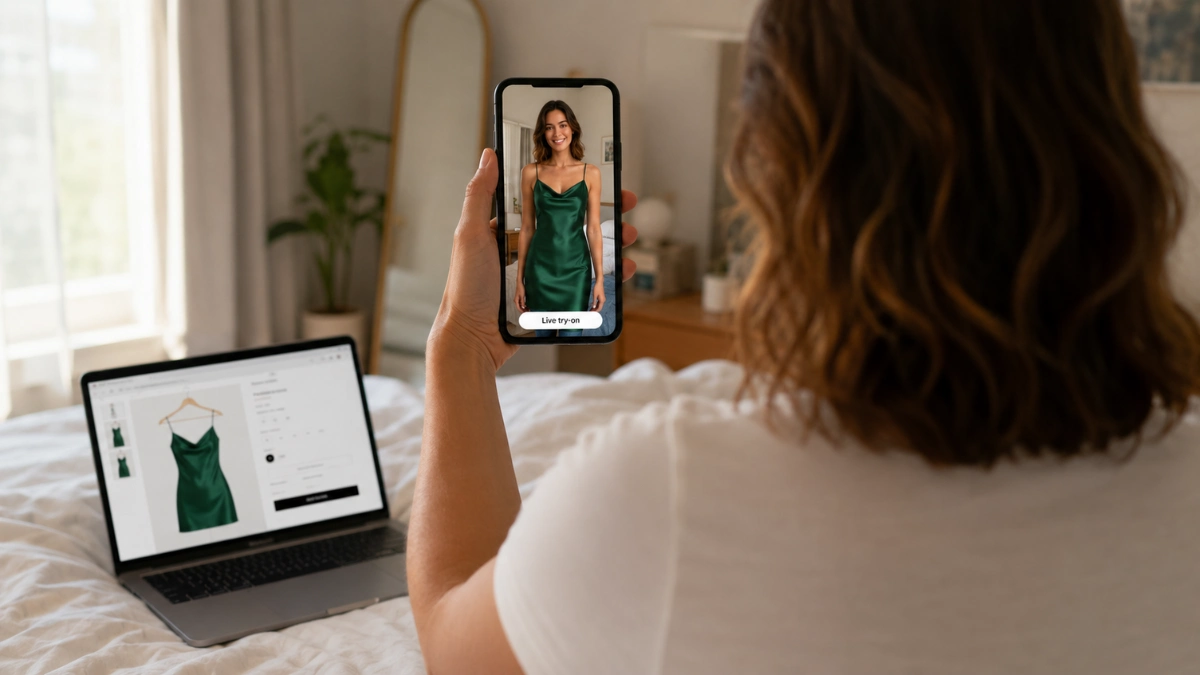
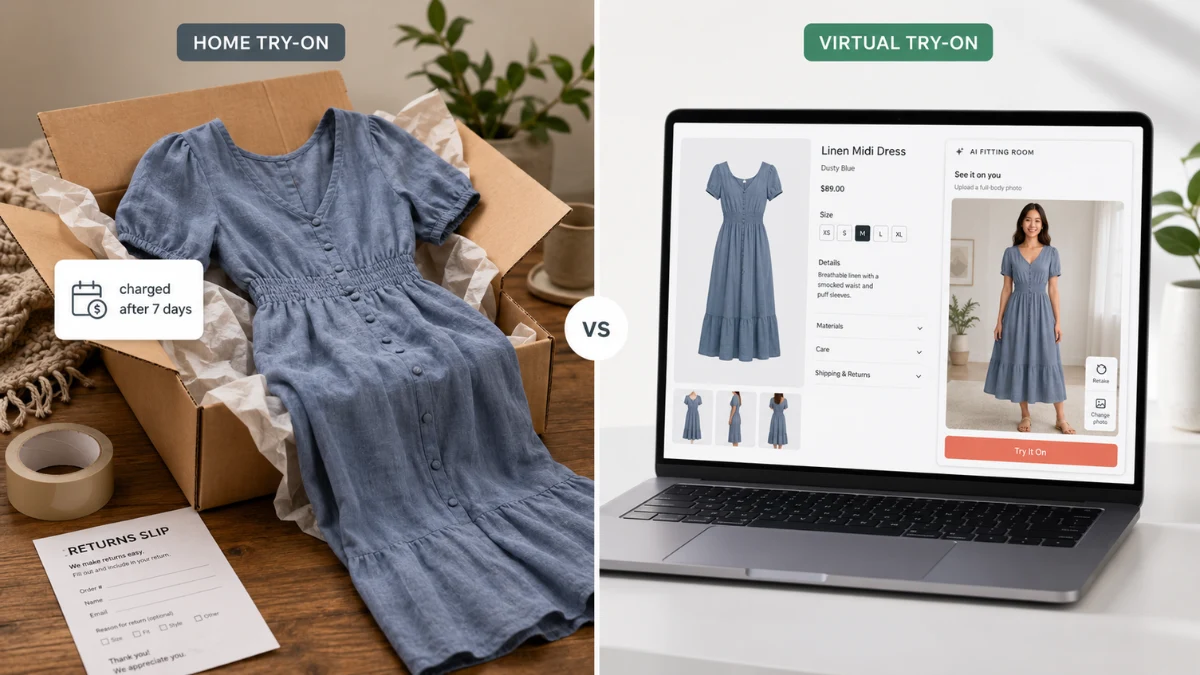
    By implementing AI virtual try on WooCommerce technology, you allow shoppers to instantly generate realistic images of themselves wearing your clothing. When a customer can visually confirm that a dress or top flatters their exact body shape, skin tone, and size, their purchase confidence skyrockets.

    Pro Tip: Use a dedicated solution like AnyDress.ai. It integrates seamlessly with WooCommerce, allowing shoppers to upload a quick photo and see the garment on their own body in seconds. Stores using AI virtual try-on routinely see drops in return rates by up to 30% because it completely eliminates the need for “bracket buying.”

    2. Upgrade to Dynamic, Brand-Specific Sizing Charts

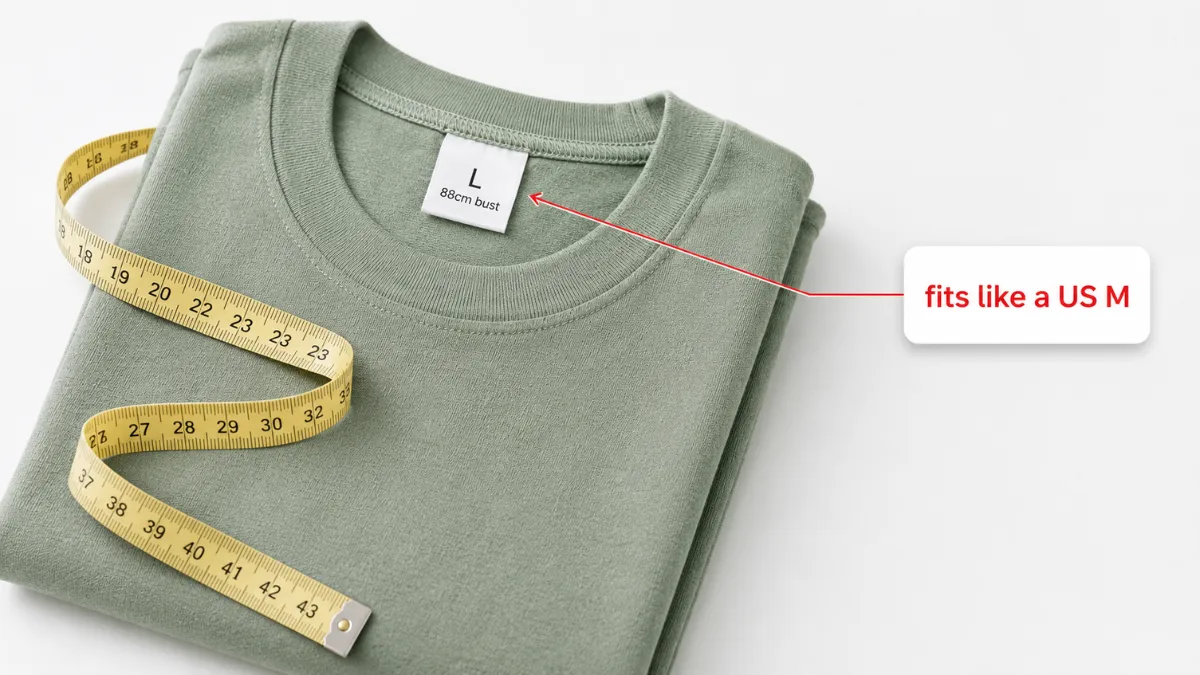
    Generic sizing charts (e.g., standard US Small, Medium, Large) are a leading cause of fashion returns. Every brand cuts its fabric differently.

    Instead of a generic table, update your WooCommerce product data tabs with exact garment measurements (bust, waist, hips, inseam) in both inches and centimeters. Even better, tell the customer exactly how to measure themselves. If a specific dress runs small or has zero stretch, explicitly state: “Runs small. If between sizes, size up.”

    3. Leverage User-Generated Content (UGC) and Sizing Reviews

    Shoppers trust other shoppers. When browsing a product page, a customer actively looks for reviews from people with similar body types.

    Upgrade your standard WooCommerce reviews to allow photo uploads and custom sizing fields. Ask reviewers to input their height, weight, and the size they purchased, alongside their rating of the “fit” (e.g., Too Small, True to Size, Too Large). Seeing a dress look amazing on a real customer with a similar build is often the final push needed for a confident, non-returnable purchase.

    4. Use High-Resolution Video and Fabric Close-Ups

    A major reason for high ecommerce fashion return rates is the “fabric disconnect.” A shirt might look like structured cotton in a photo but arrive feeling like thin, clingy polyester.

    Enhance your WooCommerce product galleries with short, looping videos showing a model walking or twirling in the garment. This demonstrates the drape, weight, and movement of the fabric. Additionally, always include at least one macro-level close-up shot of the material so customers can see the texture.

    Woman using AI virtual try on WooCommerce app. Reduce clothing return rates

    5. Write Hyper-Descriptive Product Descriptions (Fit & Feel)

    Don’t just copy and paste the manufacturer’s description. Your WooCommerce product descriptions should act as a virtual sales associate. Make sure every clothing item includes:

    • The Model’s Specs: “Sarah is 5’7″, wears a size Small, and has a 26-inch waist.”
    • Fabric Composition: Exact percentages (e.g., 95% Cotton, 5% Spandex).
    • Stretch Factor: Is the fabric rigid, semi-stretchy, or highly elastic?
    • Fit Type: Is it a relaxed fit, bodycon, or oversized?

    6. Rethink Your Return Policy to Incentivize Exchanges

    Sometimes, a return is inevitable. But a return doesn’t have to mean a lost sale. You can structure your return policy to actively encourage exchanges over full refunds.

    For example, offer free return shipping only if the customer opts for store credit or a direct size exchange. If they want a refund to their credit card, charge a modest $5 to $7 restocking or shipping fee. This gentle friction often pushes customers to simply swap the item for the correct size rather than abandoning your brand altogether.

    7. Track Return Data to Find the “Repeat Offenders”

    Not all returns are the customer’s fault. Sometimes, you just have a bad product. If you want to successfully reduce clothing return rates, you need to look at your WooCommerce analytics.

    If one specific dress has a 45% return rate while the rest of your store averages 15%, pull that product immediately. Review the product page—is the photo misleading? Is there a manufacturing defect in the zipper? Did the supplier change the sizing? Identifying and fixing (or removing) your top returned items will instantly improve your overall margins.

    The Essential WooCommerce Tech Stack to Stop Returns

    You don’t have to manually manage all these strategies. The beauty of WordPress is the massive ecosystem of plugins designed to help WooCommerce reduce returns on autopilot. Here is the ultimate 2026 tech stack for fashion retailers:

    1. AnyDress.ai (For AI Virtual Try-On): The most critical plugin in your stack. As mentioned earlier, utilizing AI virtual try on WooCommerce technology stops the root cause of returns (poor fit visualization) before the checkout process even happens.
    2. WooCommerce Photo Reviews (by VillaTheme): An excellent plugin to implement our UGC strategy. It allows customers to upload photos of themselves wearing your clothes and prompts them to leave their body measurements and sizing feedback.
    3. Product Size Charts Plugin for WooCommerce: This tool lets you create detailed, dynamic sizing tables that you can assign to specific product categories (e.g., a specific chart for “Denim” and a different one for “T-Shirts”), keeping your fit data organized.
    4. ReturnGO or YITH Advanced Refund System: Use one of these to build an automated Return Merchandise Authorization (RMA) portal. They allow you to easily incentivize store credit over cash refunds and track exactly why items are being sent back.

    What is a normal return rate for clothing online?

    In the ecommerce fashion industry, the average return rate typically sits between 20% and 30%. However, during peak holiday seasons or for brands that suffer from inconsistent sizing, this number can easily spike to 40% or higher. Your goal should be to push your store’s return rate below 15% using better visualization tools and accurate sizing data.

    How does AI virtual try-on reduce returns?

    AI virtual try-on allows customers to upload a photo of themselves to see exactly how a garment will drape, fit, and look on their specific body type and skin tone. By removing the guesswork from online shopping, it drastically reduces “bracket buying” (buying multiple sizes to return the ones that don’t fit) and prevents the disappointment of an item looking different in person than it did on the store’s model.

    How do I handle serial returners in WooCommerce?

    To mitigate losses from “wardrobing” or serial returners, update your store policies to charge a small restocking or return shipping fee for cash refunds, while offering free returns if they choose store credit. Additionally, you can use WooCommerce reporting plugins to flag customer accounts with excessively high return rates (e.g., over 60%) and restrict them from future purchases or remove their eligibility for free shipping.

    Conclusion: Stop Losing Profit to Fashion Returns

    Learning how to reduce clothing return rates isn’t just about saving money on return shipping labels; it’s about protecting your brand’s reputation, improving your customer experience, and maximizing your profit margins in an increasingly competitive 2026 market.

    While dynamic sizing charts, high-quality video, and smart return policies are essential, nothing bridges the gap between digital shopping and the physical fitting room quite like AI. By giving your customers the power to see themselves in your clothes before they buy, you instantly build trust and eliminate the doubt that leads to returns.

    Ready to help your WooCommerce reduce returns today?
    Don’t let another customer abandon their cart because they aren’t sure of the fit. Integrate the ultimate AI virtual try on WooCommerce solution today. 👉 Click here to learn more about AnyDress.ai and start your free trial!