Everyone knows the ritual. You find a dress you love, you zoom in on the model wearing it, and you try to run the mental simulation: would that actually look good on me? The model is six feet tall and lit by professionals. You are not shopping for how it looks on her — you’re shopping for how it looks on you, and the product page refuses to answer that question. So you either gamble (and maybe join the roughly one-in-three online clothing orders that get sent back) or you close the tab on something you might have loved.
That gap — between seeing a garment and seeing it on yourself — used to be unbridgeable without a fitting room. It isn’t anymore. Here’s every way to preview clothes on your own body before paying, from the old tricks to the new one that actually works.
The Old Ways (and Why They Half-Work)
Measuring and comparing charts. Reliable for fit, useless for look. A tape measure can tell you the M will close around you; it cannot tell you whether the wrap cut flatters you or the color works with your skin tone — which is what most “it looked different” disappointment actually is.
Stalking the reviews for someone shaped like you. The classic move: scroll the photo reviews hoping a buyer with your build posted a mirror shot. When it works, it’s genuinely helpful. But it’s a lottery — most listings don’t have it, and “someone roughly like me” is still not you.
Ordering multiple options to return the losers. Effective and expensive — for everyone. You front the money, wrangle the returns window, and stores quietly punish serial returners. It’s a fitting room where you pay the rent.
The New Way: See It on Yourself, Live
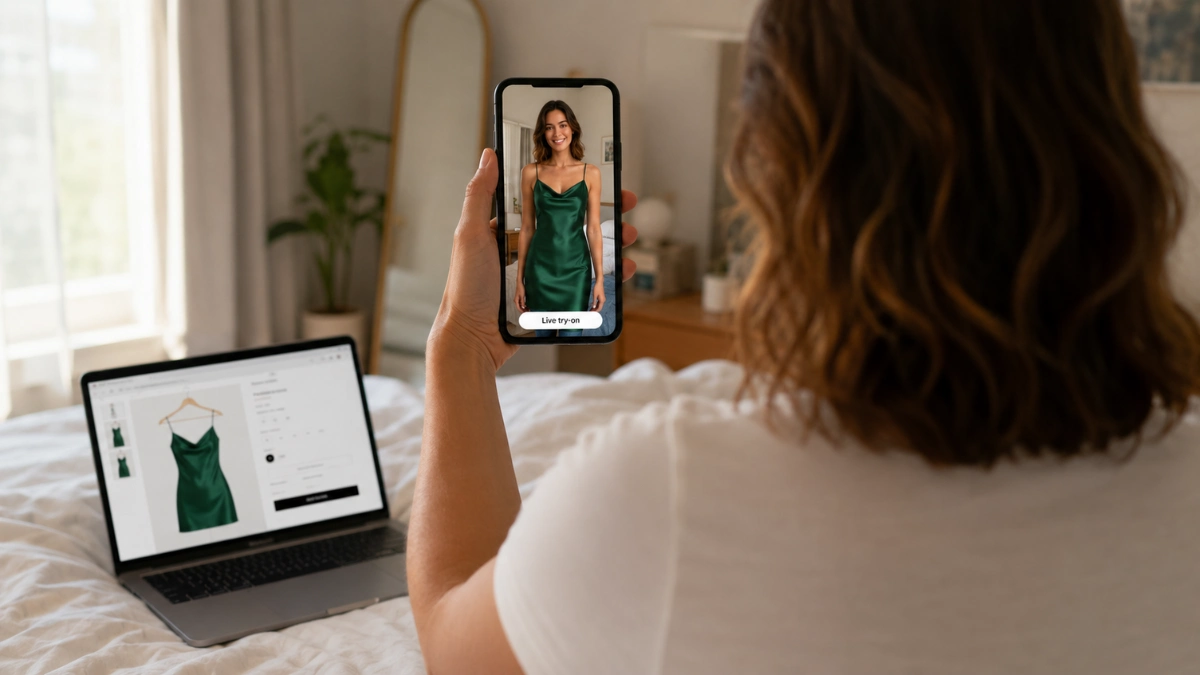
AI virtual try-on has quietly crossed the line from gimmick to genuinely useful, and the newest version works like this: you copy the photo of the garment from any store page, paste it into a try-on tool, turn on your camera — and watch yourself wearing it, live, moving, in your own room. Not a face-swap, not a static collage: the garment rendered on your body in real time.
That’s exactly what we built AnyDress live try-on to do, and the whole flow takes under a minute:
- Grab the garment photo. Any product image from any online store — paste the image or upload a screenshot. It doesn’t need to be from a partner shop; if you can see it, you can try it.
- Turn on your camera. The try-on runs live in your browser at 30 frames per second — no app to install, works on your phone or laptop. You see yourself in the mirror, wearing the piece, as you move.
- Decide like you’re in a fitting room. Turn, check the length, see it in your light on your body. If you want a second opinion, download the clip or share a link (links expire after 24 hours) and let the group chat vote before you check out.
Your first try-on is free with no card, so you can test it on the exact item currently sitting in your cart.
What About Privacy?
The question you should ask of any tool you point a camera at. The honest answers for ours: the live camera feed is processed to render the try-on and is not recorded or stored — the only thing that exists afterward is the clip you deliberately choose to download or share, and shared links self-destruct after 24 hours. It’s for adults trying on clothes on themselves — your photo, your camera, your call. If a try-on tool you’re considering can’t answer these questions plainly on its site, pick one that can.
Where This Beats the Built-In Options
Some big retailers now offer their own try-on features, and Google has experimented with try-on inside Shopping results. They share one limitation: they only work on their catalog. The dress you found on a small boutique’s site, a vintage piece on a resale app, a screenshot from Instagram — none of that is covered by a retailer’s walled-garden feature. A paste-any-photo tool works across the entire internet you actually shop on, which is the difference between a feature and a habit.
Smart Ways Shoppers Actually Use It
Beyond the obvious pre-checkout check: settle “which color?” by trying both in sixty seconds; screenshot an outfit from social media and find out if it’s you before you hunt down where to buy it; preview a dress code–stretching purchase (the wedding-guest dress dilemma) before committing; and when you do buy, buy the version you’ve already seen on yourself — which is how you quietly stop being a person who returns things.
One honest boundary: a visual try-on shows you the look — drape, length, color, vibe — on your body. It doesn’t measure you, so pair what you see with the store’s size chart for the fit half of the decision. Look plus measurements together is the closest thing to a fitting room the internet currently offers.
FAQ: Trying On Clothes Online
Can I really try on clothes online for free? Yes — AnyDress live try-on includes a free try-on with no card required, so you can test it on something you’re actually deciding about right now.
Do I need to download an app? No — it runs in the browser on iOS, Android, and desktop. If your phone can do a video call, it can do a live try-on.
Does it work with clothes from any store? Yes. It works from the garment’s photo, not a store integration — paste an image from any retailer, resale listing, or screenshot.
Is my camera footage saved? No. The live feed is processed for the try-on and not recorded or stored. Only clips you deliberately download or share exist afterward, and share links expire in 24 hours.
Will it tell me if the size fits? It shows you how the garment looks on your body — for sizing, check it against the store’s measurements chart. Look from the try-on, fit from the numbers.
Got something in your cart right now? See it on yourself first — free, live, no app.
Run an online clothing store? This same technology can live on your product pages — see the AnyDress virtual try-on plugin for WooCommerce.