The AI-generated fashion photography market is not a niche trend. According to Research and Markets, it was valued at $2.01 billion in 2025 and is projected to reach $6.12 billion by 2029 — a compound annual growth rate of 32.1%. The brands driving that growth are not waiting for the technology to mature. They are already cutting traditional production budgets, publishing full catalogs on-model, and launching new collections in days rather than weeks.
For WooCommerce clothing store owners, the question is no longer whether AI fashion photography services are viable. The question is which approach — standalone SaaS service or native WooCommerce plugin — actually integrates into your workflow, your storefront, and your bottom line.
This guide breaks down both options in full.
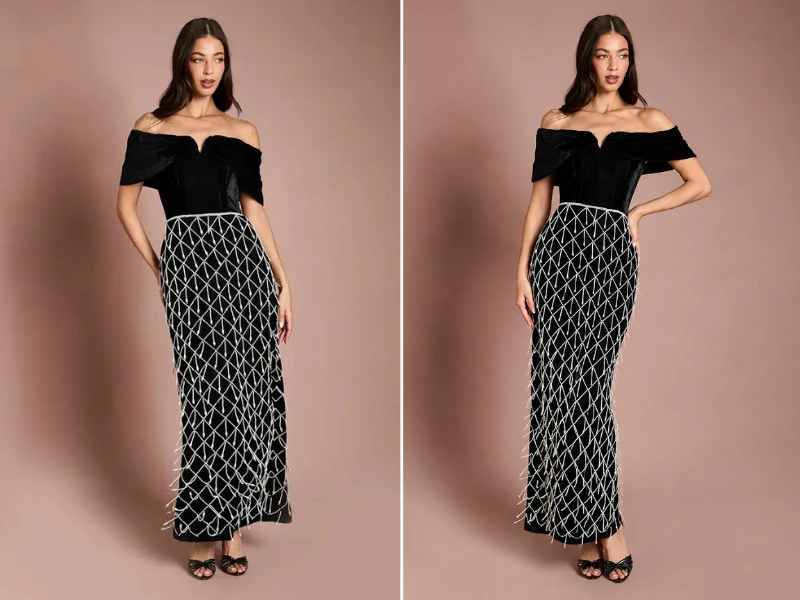
Image courtesy of PrettyLittleThing
What a Traditional Clothing Photoshoot Actually Costs in 2026
Before evaluating any photoshoot alternative for e-commerce, you need an honest accounting of what you are replacing. Most brands underestimate traditional photography costs because they budget only for the obvious line items and quietly absorb the rest.
Here is what a production-quality, on-model fashion shoot for a mid-size WooCommerce store actually costs when every line item is counted:
| Line Item | Daily Cost Range |
|---|---|
| Photographer | €900 – €3,200 |
| Studio rental | €280 – €1,400 |
| Model fees (per model) | €550 – €3,700 |
| Hair & makeup team | €750 – €2,200 |
| Wardrobe stylist | €370 – €930 |
| Post-production (per image) | €18 – €75 |
| Logistics & miscellaneous | €900 – €3,700 |
For a realistic 100-SKU shoot over two days — a standard scope for a boutique WooCommerce store with a seasonal collection — the total cost lands between €22,000 and €45,000, before accounting for reshoots.
And reshoots happen. Industry data consistently shows that 15 to 25 percent of shoots require some level of follow-up production: a damaged sample, a garment that did not photograph as expected, a client change of direction after viewing the first selects. Add a partial reshoot day and the bill climbs by another €3,000 to €8,000.
For a store running two to four collections per year, the annualised photography spend reaches €40,000 to €100,000 or more — before the cost of the internal team managing it all.
The Hidden Cost: Time-to-Market
Beyond the direct spend, traditional photography carries an operational cost that rarely appears in any budget: the weeks it takes to move from finished garments to live product images.
From concept to published imagery, a traditional on-model shoot typically takes four to eight weeks. That is four to eight weeks during which new products sit in a warehouse rather than on your WooCommerce product pages. For trend-sensitive clothing categories — seasonal drops, limited editions, capsule collections — that delay is not just inconvenient. It is measurable lost revenue.
The Diversity and Inclusivity Cost
Modern shoppers expect to see garments represented across diverse body types, skin tones, and sizes. Delivering that representation through traditional photography is not a creative choice — it is a multiplicative cost structure. Each additional model option means additional booking fees, additional fitting sessions, additional shoot time, and additional post-production. Brands serious about inclusive catalog representation are effectively running two to four times the standard photography budget.
The Rise of AI Fashion Photography Services
The alternative to traditional photoshoots is now a mature, well-funded category with enterprise adoption at the highest levels. ASOS reported a 340% increase in product page conversion rates after implementing AI-generated model imagery. Statista projects that virtual model adoption will reach 89% among fashion e-commerce operators by late 2026. Zara’s parent company Inditex has publicly committed €400 million toward AI photography infrastructure across its eight brands.
The economics explain the adoption curve. Traditional on-model photography costs €75 to €140 per image when all line items are factored in. AI-generated on-model imagery costs €1 to €12 per image — often from flat-lay or ghost mannequin inputs the store already has. For a 100-SKU catalog with three images per product, that is the difference between a €22,000–€42,000 production cycle and a €300–€3,600 one.
Beyond cost, AI photography services offer capabilities that traditional production cannot match at any price point:
- Same-day turnaround. Upload flat-lays in the morning, approve final images by afternoon. New products can go live the same day samples arrive.
- Unlimited model diversity. Generate the same garment on multiple AI models — different body types, skin tones, heights — for the same per-image cost. No additional booking fee. No additional shoot day.
- Instant reshoots. Changed your mind on the background? Want a different pose? Regenerate. The iteration cost is negligible.
- Full catalog coverage. Brands using traditional photography typically put only 20–30% of their catalog on-model, defaulting to flat-lays for the rest due to budget constraints. AI removes that constraint. Every SKU gets on-model imagery.
Research from across the e-commerce industry consistently shows that on-model product images outperform flat-lays by 20–30% in conversion rate. For a WooCommerce store doing €500,000 in annual revenue, a 20% lift across a fully on-model catalog represents €100,000 in additional revenue — from imagery alone.
The Critical Distinction: Standalone AI Services vs. WooCommerce-Native Solutions
Here is where the market diverges in a way that matters enormously for WooCommerce store owners.
The majority of AI fashion photography services — Botika, Modelia, OnModel.ai, Tellos, and others — are standalone SaaS platforms. You upload images to an external dashboard, generate results, download the files, and manually import them into your WooCommerce media library and product galleries.
That workflow is an improvement over traditional photography in cost and speed. But it introduces a layer of operational friction that compounds across a growing catalog:
- No direct integration with your product catalog. Every image must be manually matched to its product, uploaded via WordPress Media Library, and attached to the correct WooCommerce product gallery.
- No frontend shopper experience. These platforms produce static catalog imagery. They do not give your shoppers an interactive try-on experience on your product pages.
- Dependency on a third-party platform. Your production workflow runs on someone else’s infrastructure, with their uptime, their pricing changes, and their product roadmap decisions determining what you can do.
- Disconnected data. Usage, credits, and generated assets live outside your WordPress ecosystem, creating management overhead.
For a WooCommerce store owner managing an active catalog across multiple collections, that friction is not trivial.
The better-architected solution — and the only one that is native to WooCommerce — operates differently.
AnyDress.ai: The WooCommerce-Native AI Fashion Photography Solution
AnyDress.ai is not a standalone AI photography service that happens to work with WooCommerce stores. It is a WooCommerce plugin — built specifically for the WordPress ecosystem, installed in minutes through your WordPress admin, and operating entirely within your existing store infrastructure.
This architectural difference is consequential at every level of your workflow.
The Backend Studio: Professional Catalog Photography Inside Your WP Admin
AnyDress.ai gives you a complete AI photoshoot studio accessible directly from your WordPress dashboard. There is no external platform to log into, no separate dashboard to manage, and no manual file transfer between systems.
Upload a flat-lay or ghost mannequin photo of any garment — the same baseline assets you likely already have — and the plugin generates professional, on-model catalog imagery with full control over every creative variable:
Model selection. Choose from a curated library of AI models, upload specific model references to maintain brand consistency, generate randomized AI models for variety, or use a ghost mannequin for clean editorial catalog shots. Every option is available in the same interface, on demand, at no additional per-option cost.
Pose variety. Generate front, back, and side views from a single source image. Full-angle catalog coverage for every SKU, without scheduling a second shoot day.
Photography styles. Apply professional visual treatments — Editorial, Street, Vintage, Studio, and others — to match your brand aesthetic and target audience.
Background control. Change scene environments using plain-text prompts via the Magic Scene feature. “Sunlit Barcelona rooftop,” “minimalist white studio,” “urban cobblestone street” — any backdrop, any time, with no set construction or location fees.
Direct WordPress sync. Generated images save to your WP Media Library with a single click and attach directly to your WooCommerce product gallery. There is no download-and-upload cycle. The image is in your product from the moment you approve it.
This is the photoshoot alternative for e-commerce that standalone SaaS services cannot match: a fully integrated production environment that lives where your store lives, and outputs directly to where your customers see the results.
Garment Compatibility: No SKU Left Behind
One of the persistent limitations of standalone AI fashion photography services is garment compatibility. Many platforms perform well on dresses and tops but produce inconsistent or unusable results on structured outerwear, pants, or accessories — forcing stores to maintain parallel traditional photography workflows for specific categories.
AnyDress.ai is built for universal garment coverage across your entire WooCommerce catalog:
- Dresses and skirts
- Tops, blouses, and shirts
- Pants and trousers
- Outerwear and jackets
- Hats and headwear
- Footwear
Every category. One plugin. One workflow. No carve-outs.
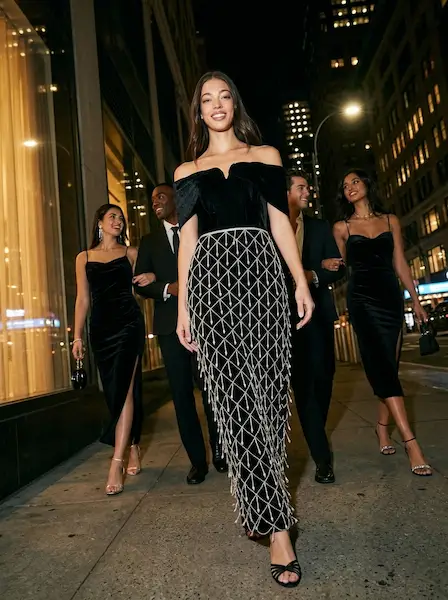
Outfit and model courtesy of PrettyLittleThing
AI Fashion Photography Services: A Direct Comparison
| Factor | Traditional Photoshoot | Standalone AI SaaS | AnyDress.ai (WooCommerce Native) |
|---|---|---|---|
| Cost per image | €75 – €140 | €1 – €12 | From €99/mo subscription |
| Turnaround time | 4 – 8 weeks | Hours (external platform) | Minutes, inside WP Admin |
| WooCommerce integration | Manual import | Manual import | Native — 1-click sync to product gallery |
| Frontend shopper try-on | None | None | Embedded on product pages |
| Model diversity | Extra cost per model | Included | Included |
| Pose variety | Extra shoot time | Varies by platform | Front, Back, Side — all included |
| Background control | Location/set cost | Varies | Text-prompt Magic Scene |
| Ghost mannequin support | Yes (high cost) | Varies | Yes, native |
| Garment compatibility | Full | Often limited | Full (inc. pants, outerwear, shoes) |
| Data privacy | Varies | Third-party servers | RAM-only processing, auto-deleted after 7 days |
| Platform risk | None | Vendor-dependent | Self-hosted WordPress plugin |
The standalone AI services close the cost gap against traditional photography. AnyDress.ai closes the workflow gap that standalone AI services leave open — and adds a capability no photography service, traditional or AI, can provide.
The Capability No Photography Service Can Replicate: Frontend Virtual Try-On
Every AI fashion photography service — including every standalone SaaS listed in any 2026 comparison roundup — produces static catalog imagery. Better imagery, faster and cheaper than a traditional shoot, but static.
AnyDress.ai does something none of them do: it gives your shoppers an interactive, real-time virtual try-on experience directly on your product pages.
On every WooCommerce product listing, the plugin adds a customizable “Try It On” button alongside the Add to Cart button. Shoppers click it, upload a single photo, and see themselves wearing your garment in seconds — without leaving your store, without downloading an app, and without creating an account on a third-party platform.
Once a shopper uploads their photo, it is retained across their session. They can try on garment after garment across your entire catalog without re-uploading. The experience is frictionless and persistent.
The commercial impact is measurable. Research consistently shows that virtual try-on experiences reduce return rates by up to 64% for apparel and increase conversion rates by up to 94%. For a WooCommerce store where returns represent margin erosion and customer service overhead, a reduction of even 20 to 30 percentage points in return rate is a material business outcome — not a minor UX improvement.
No AI photography service delivers this. It requires a tool that is embedded in your storefront, attached to your specific product catalog, and operating within your WooCommerce infrastructure. That is precisely what AnyDress.ai is built to do.
Merchant Budget Controls
AnyDress.ai also gives store owners a practical operational control that no external platform can offer: a configurable Daily Try-On Limit. You set a ceiling on the number of AI generations served per day, protecting your API credit budget during high-traffic periods without disabling the feature entirely. It is the kind of operational lever that only a natively integrated plugin can provide.
Data Privacy: The Compliance Consideration Every Store Owner Must Address
When you deploy any AI fashion photography service or virtual try-on tool, you are — directly or indirectly — handling user-generated images. For stores serving EU customers, that means GDPR considerations apply from the moment a shopper uploads a photo.
Standalone SaaS platforms process images on third-party servers. Data retention policies vary by provider. Several platforms explicitly retain image data to improve their AI models unless users opt out. For a store advising customers to upload personal photos, that creates liability that cannot be fully controlled from within your WordPress admin.
AnyDress.ai applies a structurally different standard:
- Shopper photos are never used to train AI models — no opt-out required
- All images are processed in secure server memory (RAM) and destroyed immediately after generation
- A background cron job permanently deletes all user photos from your WP server after 7 days
- No image data is transferred to or retained by a third-party platform
For WooCommerce store owners operating under GDPR, or those who simply take customer data handling seriously, this is not a differentiator on a feature comparison chart. It is a prerequisite for responsible deployment.
The Real Cost Calculation: What AnyDress.ai Actually Replaces
Let us put concrete numbers against a realistic WooCommerce store scenario.
Scenario: A boutique WooCommerce clothing store with 80 active SKUs, two seasonal launches per year.
Traditional photography approach:
- 2 shoot days per season × €24,000 average = €48,000/year
- Reshoot allowance (20%): €9,600/year
- Internal coordination and asset management time: €4,000/year (estimated)
- Annual total: ~€61,600
- Time-to-market: 4–8 weeks per collection
Standalone AI SaaS approach:
- SaaS subscription: €200–€600/month = €2,400–€7,200/year
- Manual upload, download, reimport workflow across 80 SKUs × 2 seasons = significant team time overhead
- No frontend try-on feature
- No native product gallery sync
- Annual total: €2,400–€7,200 + operational overhead
AnyDress.ai approach:
- Plugin subscription: from €99/month (Boutique Starter at €299/month for growing catalogs)
- Zero external platform management — all production happens inside WP Admin
- Images sync directly to product galleries in one click
- Frontend try-on embedded on every product page at no additional cost
- Annual total: €1,188–€3,588
- Time-to-market: same day
The cost savings against traditional photography are substantial. But the operational advantage against standalone SaaS services — the eliminated workflow friction, the native product sync, the frontend try-on, the GDPR-ready data handling — is what makes AnyDress.ai the structurally superior choice for WooCommerce specifically.
Getting Started
AnyDress.ai installs directly through your WordPress admin under Plugins > Add New. There is no external platform account to configure, no API key hunting, and no manual integration work. The plugin connects to the AnyDress.ai API, the backend studio becomes available in your WP Admin, and the Try It On button is live on your product pages — the same day you install.
Pricing plans:
| Plan | Price | Credits/Month |
|---|---|---|
| Mini Drop | €99/mo | 50 credits |
| Boutique Starter | €299/mo | 250 credits |
| Growth Store | €599/mo | 750 credits (no watermark) |
| High-Volume Pro | €999/mo | 1,500 credits (no watermark) |
Annual billing is available at a reduced rate across all plans.
Every new installation starts with a 3-Day Free Trial and 20 free credits — enough to generate real product imagery and run live virtual try-ons on your store before committing to a plan. No credit card required to begin.
The Bottom Line
The AI fashion photography services market is growing at 32% annually because the economics against traditional photoshoots are undeniable. Across a 100-SKU catalog, AI cuts per-image costs by 95% or more, eliminates the six-week production cycle, and enables model diversity at no incremental cost.
But for WooCommerce store owners, the choice is not simply traditional photography versus AI. It is between an AI service that generates files you then manually manage across an external platform — and a native WooCommerce plugin that produces professional catalog imagery, syncs directly to your product galleries, and simultaneously gives your shoppers a live virtual try-on experience on your storefront.
Only one solution does all of that inside WordPress, with your data handled to GDPR-ready standards, and without a third-party platform dependency that can change its pricing, reduce its feature set, or shut down without notice.
Install AnyDress.ai and start your 3-Day Free Trial today at anydress.ai. Twenty free credits. No credit card required.