Earlier this year, retail giant ZARA made headlines across the e-commerce world when they officially rolled out their massive, AI-powered virtual try-on feature. By allowing shoppers to see how garments look on their own bodies instantly, ZARA cemented what we’ve all suspected: virtual fitting rooms are no longer a futuristic gimmick; they are the 2026 standard for selling clothes online.
But if you run a WooCommerce store, reading that news might have felt discouraging. Historically, building a seamless AI try-on experience required millions of dollars in custom development and a team of software engineers.
Fortunately, the landscape has dramatically shifted. You no longer need enterprise budgets to compete with the likes of ZARA. By simply installing a virtual try on WordPress plugin, independent clothing brands can offer the exact same hyper-realistic shopping experience in a matter of minutes.
Here is why adding a virtual fitting room to your WooCommerce store is the smartest move you can make this year—and how to do it without writing a single line of code.
1. Democratizing the “ZARA” Experience for Independent Stores
For years, independent boutiques had to rely on a charming brand story to compete with fast-fashion giants. But today’s shoppers expect a premium, frictionless user interface regardless of who they are buying from.
When ZARA implemented their virtual AI try-on feature earlier this year, it raised the bar for consumer expectations. Shoppers are now actively looking for a “Try it On” button when browsing apparel. If your store lacks a wordpress website try on feature, your brand subconsciously feels outdated to the modern consumer.
Using a dedicated wordpress try on plugin like Anydress.ai instantly bridges this gap. It gives your independent boutique the polished, high-tech sheen of a multi-million-dollar retail giant, instantly elevating your brand’s perceived value and building massive trust with first-time visitors.
2. Speed-to-Market: Bypassing the Studio Bottleneck
One of the biggest struggles for a growing WooCommerce brand is “speed to market.” When your supplier sends you a new batch of inventory, you want to list it on your site immediately. But usually, you are stuck waiting weeks to schedule a photographer, book a model, and wait for photo editing.
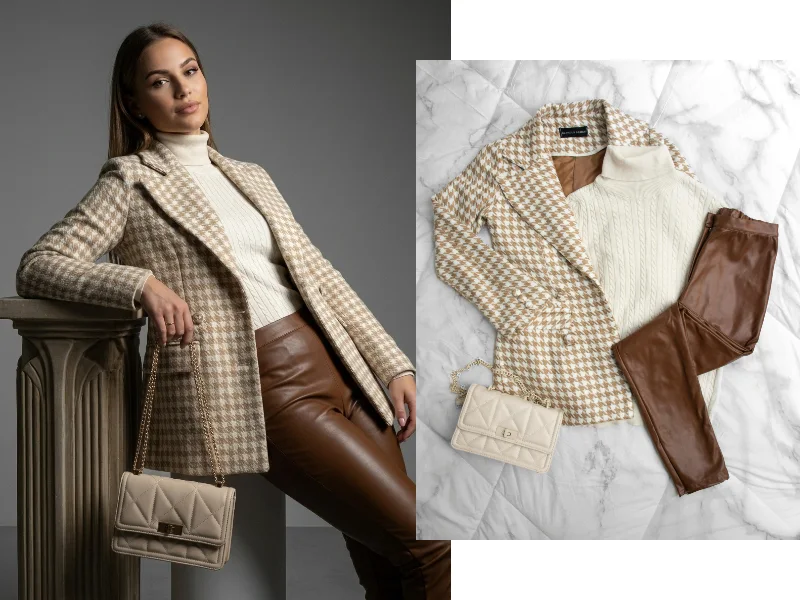
By utilizing a hybrid tool that acts as both a fitting room and a woocommerce photography plugin, you can bypass this bottleneck entirely.
With AI, you can take a basic, raw photo of a garment on a hanger directly from your supplier, and upload it straight into your WordPress media library. The plugin’s back-end AI engine instantly generates professional, studio-quality model images. You can go from receiving inventory in a cardboard box to a fully published, beautifully modeled WooCommerce product page in under ten minutes.
3. Igniting the “Group Chat” Marketing Engine
Think about how people actually shop for clothes in the real world. They go to the mall with friends, try something on in the dressing room, step out, and ask, “How does this look on me?”
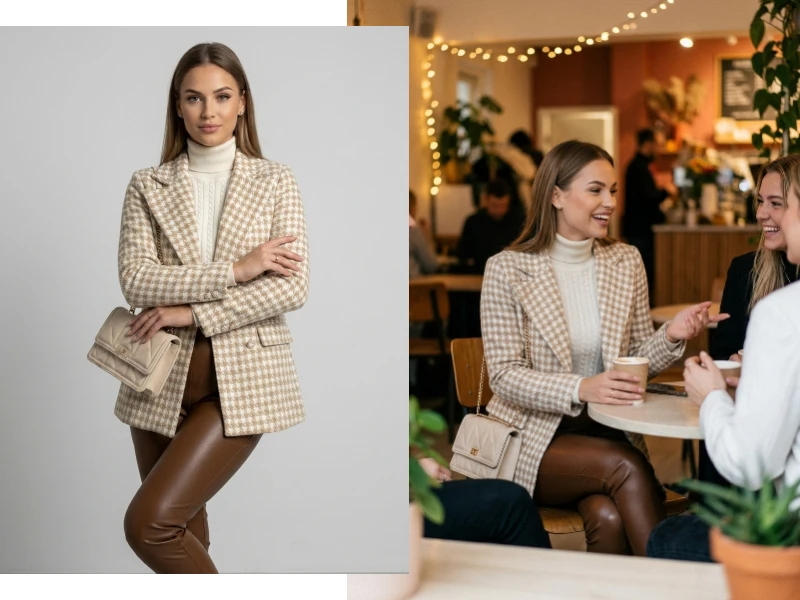
Online shopping used to be an isolating experience. However, a store try on wordpress plugin digitizes this social behavior. When a shopper uploads their photo to your site and generates an incredibly realistic image of themselves wearing your new jacket or dress, their first instinct is to share it.
They download the AI-generated photo and send it to their group chats, text threads, and Instagram DMs asking for their friends’ opinions. Every time they do this, they are effectively doing free word-of-mouth marketing for your brand. They aren’t sharing a boring link to a product page; they are sharing a personalized photo of themselves wearing your product, which naturally draws their friends back to your store to try it for themselves.
4. Keeping Shoppers on Your Domain
Before AI try-ons, shoppers who were unsure about a product would leave your website to search for validation. They would open up YouTube to look for clothing hauls, or search TikTok and Instagram to see if influencers were wearing your pieces.
Every time a user leaves your WooCommerce site to check social media, you risk losing them to a distraction (or worse, a competitor’s ad).
Offering a virtual try on wordpress experience keeps the shopper entirely on your domain. They don’t need to hunt down external validation because they can immediately see how the fabric drapes and fits on their own frame right on your product page. This dramatically increases your average “Time on Page,” which is a massive positive signal to Google’s SEO algorithms.
5. No-Code, Plug-and-Play Installation
The best part about the tech landscape in 2026 is that you don’t need to be a developer to build an interactive store.
In the past, integrating third-party AI APIs into WooCommerce was a nightmare of broken code, slow site speeds, and conflicting theme scripts. Today, a modern virtual try on wordpress plugin is entirely plug-and-play.
Solutions like Anydress.ai are designed specifically for the WordPress ecosystem. You simply upload the plugin zip file, enter your license key, and the “Try it On” button automatically populates next to your WooCommerce “Add to Cart” buttons. It requires zero coding, it doesn’t slow down your website’s load speed, and it works flawlessly on both desktop and mobile devices.
Level Up Your WooCommerce Store Today
The gap between independent WooCommerce stores and massive retail conglomerates is closing fast. Thanks to the rapid advancement of AI, you can now offer the exact same premium, interactive features as the biggest brands in the world.
If you are ready to speed up your catalog launches, encourage social sharing, and give your customers the ultimate shopping experience, it is time to upgrade your store.
Stop losing customers to outdated static images. Install Anydress.ai—the premier virtual try on wordpress plugin—and transform your WooCommerce clothing store into a 2026-ready interactive boutique today.