Every independent WooCommerce clothing store faces the same wall at the same moment: you have inventory, you have a live store, and you need professional on-model photography to sell it. Booking a model is expensive, complicated to schedule, and overkill for a 20-item spring drop. Shooting on a mannequin looks clinical. Flatlay photographs look like a pile of fabric.
For years, the only honest answer was: spend the money or accept inferior images. In 2026, that is no longer true.
AI clothing photography without a model has matured from a novelty into a production-grade workflow. A mid-sized fashion brand recently generated 3,200 product images in a single afternoon — work that previously required 40 photo shoots and $180,000 in production costs. The technology is not experimental. It is being used at scale right now, and it is fully accessible to independent WooCommerce store owners without a creative team, a studio, or a professional photography budget.
This guide explains exactly how it works, what results to expect, and how to implement it inside your WooCommerce store.
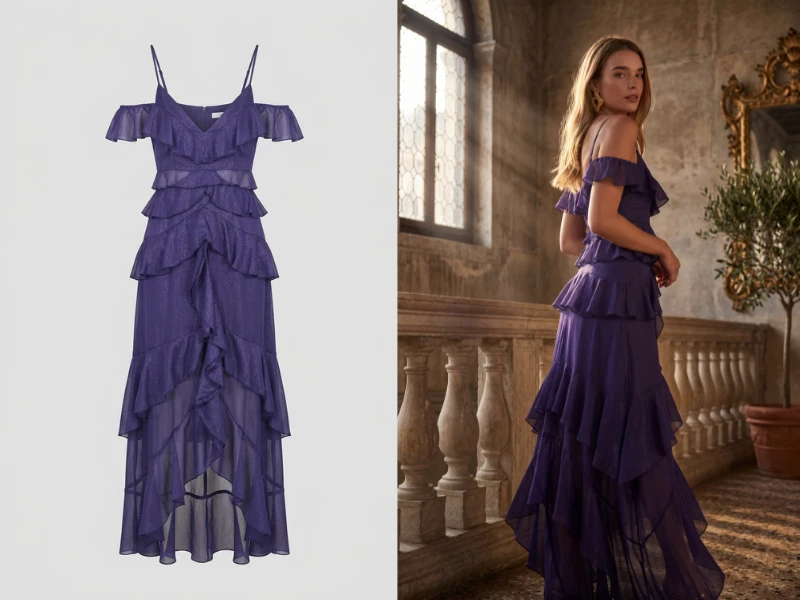
Outfit courtesy of Brouska
Why Traditional Fashion Photography Fails Independent Store Owners
The economics of traditional model photography were never built for independent e-commerce. They were built for brands with quarterly budgets, in-house production coordinators, and the runway to plan a shoot eight weeks in advance.
Here is what a single catalog refresh actually costs when done the traditional way:
- Model fees: $500 to $5,000 per day, depending on experience and market
- Photographer day rate: $1,500 and up
- Studio rental: $300 to $1,500 per day
- Makeup artist and stylist: $400 to $1,200
- Post-production editing: $25 to $75 per image
For a WooCommerce boutique managing 50 SKUs across two seasonal collections, that math produces an annual photography bill between $30,000 and $80,000 — before a single product is sold. Small brands using AI have reduced those costs by up to 80%, according to 2026 industry data. The gap between traditional and AI photography is no longer a marginal efficiency gain. It is a structural business advantage.
There is also a speed problem that cost comparisons alone fail to capture. Traditional photography creates a pipeline bottleneck: shoot day, editing rounds, approval, upload. By the time new inventory gets professional images, a trend window may have already closed. AI clothing photography collapses that timeline from three to six weeks to a matter of hours.
How AI Clothing Photography Without a Model Actually Works
The process is more straightforward than the technology behind it suggests. You do not need to understand generative AI to use it. You need to understand the input and output.
The input: A photograph of your garment. This can be a flatlay shot on a table, a product draped over a hanger, a ghost mannequin shot, or even a plain white-background packshot. Modern AI tools work with all of these starting points.
What the AI does: The system analyzes the garment’s physical properties — color, fabric texture, drape characteristics, print patterns, hardware details — and generates a photorealistic representation of that garment being worn by an AI-generated model. The model does not exist. The body is synthesized. But the garment is yours, rendered accurately.
The output: A professional on-model photograph, at catalog-quality resolution, usable in your WooCommerce product gallery immediately.
In 2026, the best systems extend far beyond basic on-model generation. Background replacement via text prompt, pose control (front, back, side, three-quarter), photography style selection (editorial, street, studio, vintage), and model attribute selection (body type, age range, skin tone) are all standard features in production-grade tools. You are not just getting a model replacement. You are getting a configurable in-house photography studio.
The Four Starting Points: What You Can Feed the AI
One of the most common misconceptions is that AI clothing photography requires professional input images to work. It does not. Here is what each starting point produces:
1. Flatlay Photography
The most accessible starting point. Lay the garment flat on a neutral surface, photograph it with your phone or a basic camera, upload it. AI flatlay-to-model conversion places the garment on a synthesized model with accurate drape and fabric rendering. Industry benchmarks show 40% of all e-commerce apparel listings will feature AI-generated product images by end of 2026 — many generated from flatlay inputs exactly like this.
2. Ghost Mannequin Shots
If you already shoot on a mannequin, AI can generate a full human model from that starting point with particularly high accuracy. The mannequin gives the AI a precise three-dimensional understanding of the garment’s structure, producing clean results with minimal generation errors.
3. Hanger Shots
Hanging garments are processable but require more sophisticated AI interpretation. Quality varies by tool. For tops, dresses, and outerwear, results are typically strong. Complex draped pieces or heavily structured garments may benefit from a flatlay or mannequin starting point instead.
4. Brand-Uploaded Model Photography
Some store owners already have a preferred model — a brand ambassador, a friend, a past paid shoot. Advanced systems allow you to upload a reference model image and generate new product photography using that specific person’s likeness as the base, maintaining brand consistency across your entire catalog without rebooking.
What You Can Control: Beyond Simple On-Model Conversion
The difference between a tool that replaces your mannequin and a tool that replaces your photography studio is the range of variables you can control. Production-grade AI clothing photography platforms in 2026 offer:
Model Selection
Generate diverse AI models covering a full range of body types, ages, and ethnicities — or specify a consistent model identity to use across your entire catalog for visual coherence. Representation matters to customers and it matters algorithmically. Stores that showcase diverse representation consistently outperform single-model catalogs in engagement metrics.
Pose Control
Front-facing is the baseline. But conversion-optimized product pages show multiple angles. Back view for cut details. Side profile for silhouette. Three-quarter angle for drape. All of these can be generated from a single input image without a second shoot.
Background and Scene
Replace the studio backdrop with any environment via text prompt. A linen dress photographed against white becomes editorial-quality lifestyle content with a Mediterranean terrace background. A structured blazer gets a clean office context. Magic Scene generation turns catalog shots into campaign-quality imagery without a location, a set, or a travel budget.
Photography Style
Editorial, street, studio, vintage, lookbook — the visual language of your brand is selectable, not fixed by whoever you happened to hire on shoot day. And crucially, once a style is established, it is applied consistently across every image in the batch.
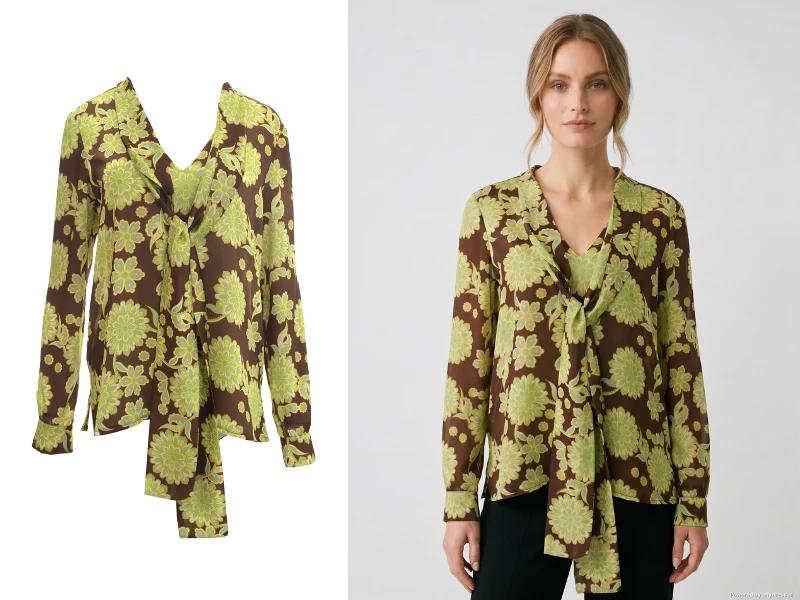
Outfit courtesy of Dolce Domenica.
The WooCommerce Implementation: From Flatlay to Published Product Gallery
For WooCommerce store owners specifically, the friction point has historically been workflow: AI tools exist outside WordPress, output images require manual downloading, resizing, and uploading, and product galleries require tedious manual maintenance.
The native WooCommerce implementation eliminates this entirely.
A plugin built directly into the WP Admin dashboard means the photography studio lives where your store lives. You navigate to a product, open the virtual photoshoot interface, upload your garment image or select from existing product photos, configure your model preferences, pose, background, and style, and generate. The output saves directly to your WordPress Media Library and attaches to the WooCommerce product gallery with one click.
No downloading to your desktop. No resizing in a separate editor. No manual re-upload. No crossing between three different platforms to produce a single product image.
For store owners managing 50, 100, or 250 SKUs, this workflow compression is where the real time savings appear. Not just in the cost-per-image, but in the operational overhead of managing visual content across a live store.
Realistic Results: What the Data Shows
Skepticism about AI photography is reasonable. The technology has improved faster than trust has. Here is what the evidence actually supports in 2026:
On image quality: 72% of online shoppers now report no negative reaction to AI-generated product imagery, provided the delivered product matches the visual representation. Customer acceptance has shifted from “must be photographed” to “must be accurate.”
On conversion rates: High-quality product imagery — regardless of whether it is AI-generated or traditionally photographed — increases conversion rates by up to 40%, according to Shopify Enterprise research. Stores using AI-generated images that accurately represent their products perform equivalently to stores using traditional photography on core conversion metrics.
On return rates: The risk of AI photography is misrepresentation. If your AI-generated images make a garment appear more structured, brighter, or more fitted than the actual product, returns will follow. The operational discipline is this: always review AI output against the physical product before publishing. Accurate AI photography reduces returns. Flattering-but-inaccurate AI photography increases them.
On production speed: AI fashion photography reduces time-to-market by 340% on average for brands that have implemented systematic workflows. For a WooCommerce store launching a 30-piece seasonal drop, that gap between a two-day AI generation workflow and a four-week traditional photography pipeline is the difference between launching during peak demand and launching after it.
Common Mistakes to Avoid
Skipping quality review. AI generation is fast, which creates the temptation to publish without checking. Never publish an AI-generated product image without comparing it against the physical garment. Color calibration, texture accuracy, and pattern alignment require a human eye.
Inconsistent model and style selection. Generating each product with a randomly selected model and style produces a collection page that looks assembled from different campaigns. Establish your model identity, your default pose configuration, and your background style before batch generating. Consistency is what separates a professional-looking store from one that clearly used AI carelessly.
Ignoring alt text. AI-generated images require the same SEO optimization as any product image. Write descriptive alt text for every generated image: product name, color, garment type, and relevant descriptive terms. This is both a search optimization requirement and an accessibility requirement.
Over-relying on generation for complex fabric categories. Sheer fabrics, heavily textured knits, and garments with intricate embellishment require more careful review. These categories push the boundaries of current garment rendering accuracy. For your hero products or highest-margin items, factor in extra review time and be prepared to regenerate if the output does not accurately represent the garment.
From Product Photography to Shopper Try-On: The Dual Advantage
Product photography solves the merchant’s problem. There is a second, equally significant problem: the shopper’s.
A customer browsing your WooCommerce store sees your AI-generated catalog images and understands how the garment looks on a model. What they cannot answer from catalog imagery alone is how it will look on them. That uncertainty is the primary driver of fashion e-commerce cart abandonment, which sits at roughly 70% industry-wide. Virtual try-on reduces that abandonment rate by approximately 26%, according to 2026 industry data.
The most effective WooCommerce implementations address both problems inside a single plugin: backend AI photography for the merchant creating catalog content, and frontend virtual try-on for the shopper making a purchase decision. Shoppers upload their own photo, place the garment on their image, and proceed to checkout with the confidence that the item will look as expected on their actual body.
This dual workflow — professional AI catalog imagery supported by shopper-facing virtual try-on — targets the two biggest conversion levers in fashion e-commerce simultaneously. No traditional photography workflow and no standalone try-on widget can offer both.
Privacy: What Happens to Shopper Photographs
Any tool that invites shoppers to upload personal photographs carries a legal and ethical obligation that store owners must understand before implementation.
Shopper-uploaded body images are biometric data under GDPR in the European Union, BIPA in Illinois, and an expanding body of state-level privacy legislation in the United States. The questions to ask of any virtual try-on provider:
- Are uploaded images used to train AI models? (They must not be.)
- Where and how are images processed?
- How long are images retained, and what is the deletion policy?
- Is processing compliant with GDPR and applicable local law?
The correct answers: Images must never be used for AI training. Processing should occur in secure server memory and not persist beyond the session. Any stored images should be automatically and permanently deleted within a defined window — seven days is the standard benchmark — via a scheduled background process. This is not optional compliance. It is the baseline expectation for any consumer-facing try-on feature in 2026.
Store owners who implement virtual try-on without auditing these answers are accepting legal liability on behalf of their customers. Audit the data handling policy before you add the button.
The Business Case in Plain Terms
Traditional model photography costs $150 to $500 per product image when you account for all production expenses. AI clothing photography without a model costs a fraction of that — and for WooCommerce-native implementations, the output goes directly into your product gallery in a single step.
The math is not close. For an independent WooCommerce clothing store generating 200 product images per year, the shift from traditional photography to AI photography saves between $25,000 and $90,000 annually. Those savings exist whether you are a one-person boutique or a growing multi-line retailer.
More significantly: the speed advantage compounds. When new inventory can be published with professional imagery within hours of arrival rather than weeks, you catch trend windows, reduce time-to-revenue, and maintain a store that always looks current. The visual quality of your product pages is one of the highest-leverage variables in e-commerce conversion. AI photography makes professional quality the default, not the exception.
Getting Started
The starting point is simpler than most store owners expect.
Take a flatlay photograph of your best-selling product. Upload it. Generate a front-facing on-model image, a back view, and one lifestyle background variation. Compare the output to the physical garment for accuracy. If it represents the product faithfully, publish it. Measure your conversion rate against the previous image over the next 30 days.
That single test will tell you more than any benchmark article can. The stores that have integrated AI photography systematically in 2026 did not launch with a full catalog overhaul. They started with one product, validated the workflow, and expanded based on evidence.
WooCommerce store owners who want to run this workflow natively — without leaving the WordPress dashboard, without manual file transfers, and with built-in shopfront try-on for customers — can install the plugin and access 20 free generation credits with a 3-Day Free Trial at anydress.ai. The trial covers enough credits to generate a complete multi-angle set for several products, giving you a real-data test before any financial commitment.
The era of scheduling a model shoot to sell a dress is ending. The tools to replace it are already inside your WP Admin dashboard, waiting to be used.